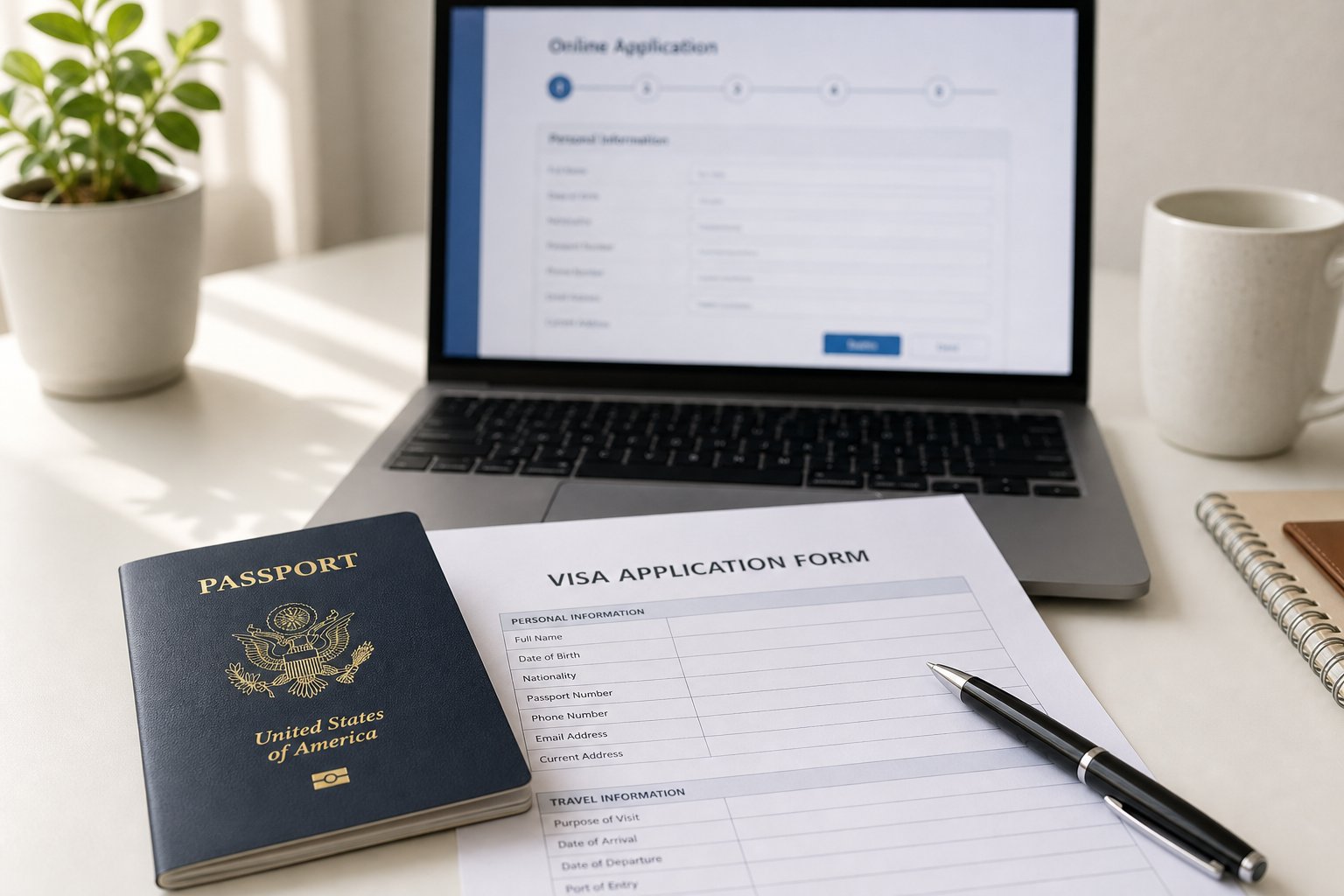
Understanding the Chinese Name Field on Your Visa Application
Imagine you are filling out your china visa application form, moving through the personal information section, and suddenly you hit a field labeled "Chinese Name." Do you need to fill it in? What format does it expect? Should you transliterate your name or leave it blank? This single field on the China Online Visa Application (COVA) system trips up thousands of applicants every year, and getting it wrong can send your entire application back to square one.
Why the Chinese Name Field Trips Up Applicants
The COVA form breaks your name into three distinct fields: 1.1A for your surname, 1.1B for your given name, and 1.1C for your Chinese name in characters. While the first two fields feel familiar to most people applying for a visa to China, field 1.1C introduces a layer of complexity that catches applicants off guard. The Chinese Embassy's COVA guidelines note that the system uses automatic passport recognition to assist with name entry, but it still relies on you to confirm accuracy and complete the Chinese name field manually when applicable.
Errors in the name section are among the most common reasons applications get flagged during the online preliminary review stage. A rejected submission means your application status changes to "Rejected and to be modified," forcing you to correct and resubmit before moving forward. That delay can throw off travel plans, especially when the system only accepts applications for entry dates within the next 90 days.
The Chinese name field (1.1C) is not required for all applicants, but filling it incorrectly is a top reason for form rejection on Chinese visa forms.
What This Guide Covers
This guide focuses exclusively on the name section of the china visa application. You will learn exactly how Chinese name order maps to Western-style form fields, who actually needs to complete the Chinese characters field, how to handle pinyin formatting, and what to do when your documents show conflicting names. Each scenario gets a clear, actionable walkthrough so you can move past this section with confidence.
The naming conventions themselves are where the confusion starts, particularly the reversed order of family name and given name between Chinese and Western cultures.
Chinese Name Order Conventions and How They Map to Form Fields
In Western cultures, you introduce yourself with your given name first and your family name last. John Smith. Easy. But names for Chinese people follow the opposite structure: the Chinese family name (surname) comes first, followed by the given name. So someone named Zhang Wei is surnamed Zhang and given the name Wei.
This reversed order is where most applicants stumble on the COVA form. You see a Chinese passport that reads "ZHANG WEI" and you need to split that into two separate fields. Which part goes where?
Chinese Name Order vs Western Name Order
Think of it this way. In English, "John Smith" means John is the given name and Smith is the family name. In Chinese, "Zhang Wei" means Zhang is the family name and Wei is the given name. The family name almost always has one syllable. According to the Asia Media Centre, all of the top 100 Chinese family names have only one syllable, and these surnames cover about 85 percent of China's citizens. So when you see a three-syllable name like Wang Xiaoming, the single-syllable part (Wang) is the surname and the two-syllable part (Xiaoming) is the given name.
This convention holds true even when the name appears on a Chinese passport in romanized form. The surname is listed first, the given name second.
How the COVA Form Fields Map to Your Name
Here is where it gets slightly counterintuitive. The COVA form uses Western-style field labels: field 1.1A asks for your surname (family name) and field 1.1B asks for your given name. Both fields must match your passport exactly. The given name field includes your first name and middle name as printed on the passport, not just the first name alone.
So even though Chinese naming convention places the surname first, you still enter it in the field labeled "surname." The form does the cultural translation for you. Your job is simply to split the name correctly.
| Full Chinese Name | Surname Field (1.1A) | Given Name Field (1.1B) | Common Mistake |
|---|---|---|---|
| Zhang Wei | ZHANG | Wei | Entering "Wei" in surname and "Zhang" in given name |
| Wang Xiaoming | WANG | Xiaoming | Splitting given name as "Xiao" in surname and "Ming" in given name |
| Li Meiling | LI | Meiling | Entering "Meiling Li" in surname field |
The pattern is consistent: one-syllable surname goes in 1.1A, everything else goes in 1.1B. Copy it exactly as your passport shows it, character for character, space for space. No abbreviations, no creative reordering.
Getting the split right is only half the battle. The form also has specific rules about capitalization, spacing, and how multi-character given names should appear in the English fields.

Step-by-Step Guide to the COVA Form Name Section
Knowing the correct name order is one thing. Actually typing it into the right boxes, with the right formatting, without triggering a validation error? That is where the details matter. The COVA system's personal information section is the first of nine sections you will fill in the form, and it demands precision from the very first field. The official chinese visa application form pdf and the Embassy's online guidelines both specify that automatic passport recognition will pre-fill some data, but you are responsible for confirming every character matches.
Here is the exact sequence for completing the name fields correctly.
Field 1.1A and 1.1B: Surname and Given Name in English
These two fields expect your name in English, exactly as it appears on your passport's biographical page. No nicknames, no shortened versions, no reordering. The COVA system cross-references what you type against the passport scan you upload, so even a missing space or extra initial can trigger a mismatch warning.
- Open your passport to the bio page. Look at the machine-readable zone (MRZ) and the printed name above it. Note exactly how your surname and given name are separated and spelled.
- Enter your surname in field 1.1A. Type your family name in all capital letters. If your passport shows your surname as "CHEN," enter CHEN. If it shows a hyphenated surname like "OUYANG," enter it exactly as printed, with no space unless the passport includes one.
- Enter your given name in field 1.1B. This field covers your first name and middle name together, as they appear on the passport. For a US passport holder named "XIAOMING DAVID," you would enter Xiaoming David using title case. The VisaRite COVA guide confirms that the given name field must include the middle name exactly as shown.
- Double-check spacing. If your passport prints your given name as one continuous string (e.g., XIAOMING with no space), enter it the same way. If it separates syllables with a space, preserve that space.
A common pitfall: applicants with multi-syllable given names sometimes split them across the surname and given name fields. Resist that urge. The surname field holds only your family name, nothing else.
Field 1.1C: Chinese Name in Characters
Field 1.1C sits directly below the English name fields and accepts Chinese characters only. This is not a transliteration field and not a pinyin field. It expects actual Chinese characters like 张伟 or 王小明. If you are required to complete this field (more on that in the next section), you will need a Chinese input method enabled on your device.
The application form 19031, which was the predecessor PDF version of the current COVA system, included this same field with identical requirements. The digital version simply carries forward that convention. Whether you are working from the older paper-based form or the current online system, the rule is the same: enter simplified Chinese characters that correspond to your legal Chinese name.
Matching Your Passport Name Exactly
The COVA system's passport OCR feature will attempt to auto-populate fields 1.1A and 1.1B after you upload your passport bio page. When it does, review the result carefully before confirming. The system fills in relevant fields automatically, but OCR is not perfect. Characters like "I" and "L" or "0" and "O" can be misread. A single wrong letter means your application could be flagged during the online preliminary review.
If you spot a discrepancy between what the OCR detected and what your passport actually says, manually correct the field to match the passport. The passport is always the authoritative source. For applicants whose type of passport travel document is not a standard national passport (diplomatic passports, travel documents, or laissez-passer), the same rule applies: copy the name as printed on the document, regardless of format.
With the English fields locked in, the real question becomes whether you need to complete field 1.1C at all, and if so, what qualifies you as someone who must provide a Chinese name in characters.
Who Needs to Fill In the Chinese Name Field
Not everyone applying for a Chinese visa needs to type characters into field 1.1C. The field exists for a specific subset of applicants, and understanding whether you fall into that group saves you from either leaving it blank when it should be filled or inventing a Chinese name you do not legally have.
Former Chinese Nationals and the Name Field Requirement
The clearest case: you once held a China passport and later became a citizen of another country. The Chinese Consulate in San Francisco states that first-time visa applicants who previously held Chinese nationality must provide their naturalization certificate and the information page of their last Chinese passport. That last Chinese passport contained your name in characters, and the COVA system expects you to reproduce it in field 1.1C.
Why does this matter so much? Chinese consular records link your identity across documents using your Chinese name. When you apply for a visa as a former national, the consulate cross-references your old China passport records. If field 1.1C is blank or contains incorrect characters, the system cannot match you to your prior identity, which stalls the review. You will also encounter related fields asking for your national id number chinese visa records and former nationality. These fields work together to verify your history, so accuracy in the name field supports the entire application.
Ethnic Chinese Diaspora With Foreign Passports
This is where things get nuanced. Imagine you were born in the United States to Chinese parents. You have never held a Chinese passport yourself, but your birth certificate lists a Chinese name in characters. Or perhaps your parents registered a Chinese name on older family documents. Do you need to fill in 1.1C?
The VisaRite COVA guide clarifies the rule: for Chinese descendants, write your name in Chinese characters in the native language field. The COVA system's upload section also prompts additional materials if either of your parents is or was a Chinese citizen. So even if you personally never held Chinese nationality, having a documented Chinese name means you should enter it.
Scenarios that trigger this requirement include:
- Your birth certificate includes a Chinese name in characters
- A previous Chinese visa listed your name in Chinese characters
- Family records or household registration documents contain your Chinese name
- Your parent's Chinese ID was used as supporting documentation on a prior application
When filling out other identity fields in the same section, you may also wonder what is national id number for chinese visa purposes. For US applicants, the id number in the country of nationality china visa field typically accepts your driver's license number or passport number rather than a Social Security Number. The us national id number for chinese visa field follows the same logic since the US does not issue a universal national identity number like China's resident ID card system does.
When You Can Leave the Chinese Name Field Blank
If none of the above applies to you, field 1.1C can stay empty. Specifically, you can leave it blank when:
- You have no Chinese heritage and have never used a Chinese name on any official document
- You have never held Chinese nationality or a China passport
- No previous Chinese visa in your travel history includes Chinese characters for your name
- Your birth certificate and all legal documents contain only non-Chinese names
Non-Chinese applicants who acquired a Chinese nickname through language classes, cultural interest, or social use do not need to enter it here. The field is strictly for legal Chinese names that appear on official documents. A casual name your Mandarin teacher gave you does not qualify and should not be entered.
Knowing whether you must complete this field is only the first step. If you do need to enter your Chinese name, the romanized version in fields 1.1A and 1.1B must follow specific pinyin formatting rules that differ from how you might casually spell your name in English.
Pinyin Romanization Rules for the Visa Application
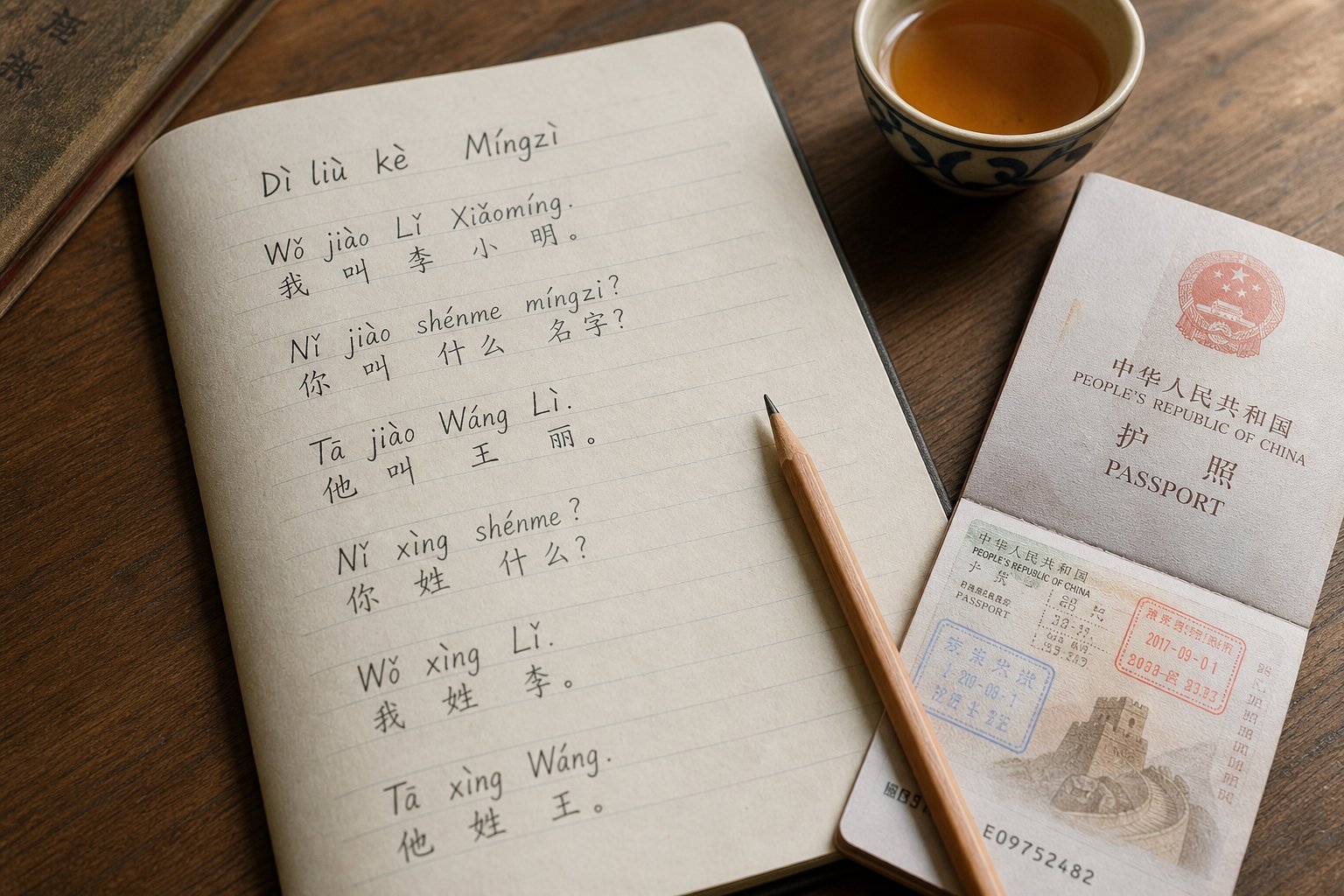
Pinyin is the official romanization system for Mandarin Chinese, and it is how most Chinese names appear on passports issued by the PRC. But pinyin as you learned it in a textbook and pinyin as it appears on a visa application form to china are two different things. The COVA system strips away several elements you might expect, and it enforces formatting conventions that trip up applicants who assume they can type their name for chinese documents the same way they would in a language class.
Understanding these rules prevents validation errors and ensures your English name fields pass the system's cross-check against your uploaded passport scan.
Tone Marks and the Visa Form
In standard pinyin, tone marks sit above vowels to indicate pronunciation: Zhāng, Wéi, Xiǎomíng. These diacritical marks are essential for spoken Mandarin, but the COVA form does not accept them. Fields 1.1A and 1.1B use plain Latin letters only, with no accents, tone marks, or special characters of any kind.
This aligns with international passport standards. The ICAO machine-readable passport standards specify that the MRZ (machine-readable zone) accepts only uppercase Roman alphabet characters without diacritical marks. Chinese passports follow this convention, so the romanized name printed on your passport bio page already omits tone marks. Your job on the COVA form is simply to reproduce what the passport shows, not to add linguistic accuracy that the system cannot process.
If you attempt to paste a name with tone marks into the form, the system will either strip them automatically or reject the input with a validation error. Either way, keep it simple: plain letters only.
Spacing and Capitalization Rules for Pinyin
Capitalization and spacing are where many applicants second-guess themselves. The rules are straightforward once you know them, but they differ slightly from casual English conventions.
For capitalization, the pattern on most Chinese passports is:
- Surname field (1.1A): All capital letters. If your passport prints your surname as ZHANG, enter ZHANG.
- Given name field (1.1B): Title case or all capitals, depending on what your passport shows. Many Chinese passports print the given name in all caps (e.g., XIAOMING), but the COVA form typically accepts title case (Xiaoming) as well. Match your passport exactly.
For spacing, the convention on PRC passports is to write multi-character given names as a single continuous word with no space between syllables. So a person named 王小明 (Wang Xiaoming) will see their passport printed as:
- Surname: WANG
- Given name: XIAOMING (not XIAO MING)
This is the standard you should follow when you fill page one of the COVA form. Do not insert a space between the syllables of a two-character given name unless your passport explicitly shows one. Some older passports or passports from Taiwan and other regions may separate syllables with a space or hyphen. In those cases, reproduce the separation exactly as printed.
Here are the key formatting rules at a glance:
- No tone marks or diacritical marks in any English name field
- Surname in all caps, matching passport MRZ
- Given name as one word if the passport shows no space (Xiaoming, not Xiao Ming)
- No punctuation in name fields: no periods, commas, or apostrophes
- Spaces only where the passport explicitly includes them
- Middle names (if any) included in the given name field, separated by a space
Handling Hyphenated and Multi-Character Given Names
Hyphenated names are common among applicants from Taiwan, Hong Kong, and the Chinese diaspora. A Taiwanese passport might show a given name as HSIU-CHIAO, while a PRC passport for a similar name would show XIUQIAO as one word. The COVA form handles these differently depending on what your passport displays.
If your passport includes a hyphen in the given name, you have two options depending on how the COVA system processes it:
- Passport shows a hyphen (e.g., HSIU-CHIAO): Enter it with the hyphen if the form field accepts it. Some versions of the COVA form strip hyphens automatically. If the system rejects the hyphen, replace it with a space (Hsiu Chiao) to match how the MRZ typically renders hyphenated names.
- Passport shows no hyphen (e.g., XIUQIAO): Enter it as one continuous word with no space or hyphen.
- Passport separates syllables with a space (e.g., XIAO MING): Preserve the space exactly as shown.
The underlying principle never changes: your passport is the authority. The COVA system compares what you type against the passport scan you upload. Any deviation, whether it is an added space, a removed hyphen, or a creative respelling, risks triggering a mismatch flag during review.
What about applicants whose passport uses a romanization system other than pinyin? Older Taiwanese passports use Wade-Giles (e.g., "Tsai" instead of pinyin "Cai"), and some Hong Kong documents use Cantonese romanization (e.g., "Cheung" instead of pinyin "Zhang"). These are not errors. If your passport says CHEUNG, you enter CHEUNG. The form asks for your name as it appears on your travel document, not as it would appear in standard Mandarin pinyin. Chinese names and meanings may share the same characters, but the romanized spelling on your passport is what the COVA system validates against.
With the English name fields properly formatted, applicants who need to complete field 1.1C face a different challenge entirely: getting actual Chinese characters into a form field when their keyboard only types Latin letters.
How to Input Chinese Characters on a Non-Chinese Keyboard
Your keyboard has 26 Latin letters, a spacebar, and some punctuation. The COVA form's field 1.1C expects characters like 张伟 or 李梅玲. Bridging that gap is simpler than it sounds once you set up the right input tool on your computer.
Simplified vs Traditional Characters on the Form
The COVA system accepts both simplified and traditional Chinese characters in field 1.1C. However, simplified characters are the standard for all PRC government documents, including passports issued by mainland China. If your last Chinese passport or birth certificate used simplified characters, enter simplified. Applicants with documents from Taiwan, Hong Kong, or Macau may have traditional characters on their records, and those are equally valid for the form.
Not sure which version your name uses? Simplified Chinese was introduced in the 1950s to reduce stroke complexity, so characters like 张 (simplified) correspond to 張 (traditional). If your old Chinese passport was issued by the PRC, it used simplified. If it came from Taiwan or Hong Kong, it likely used traditional. Enter whichever version matches your official documents.
Setting Up Chinese Input on Your Computer
You do not need a Chinese keyboard. Both Windows and Mac have built-in Chinese Input Method Editors (IME) that let you type pinyin with your regular keyboard and select the corresponding characters from a candidate list. The Microsoft Simplified Chinese IME uses pinyin-based input where you type the romanized pronunciation and choose the correct character from suggestions.
Here is how to enable Chinese input on each platform:
- Windows: Open Settings, navigate to Time & Language > Language & Region, and add Chinese (Simplified) as a language. Under its options, add the Microsoft Pinyin keyboard. Once installed, press Win + Space to switch between input methods, then type pinyin to see character candidates.
- Mac: Open System Settings > Keyboard > Input Sources, click the plus button, and add Simplified Chinese (Pinyin). Use the globe key or Control + Space to switch to Chinese input. Type pinyin and select characters from the dropdown.
- Copy-paste method: If you cannot install an IME, find your Chinese name on an existing document (old passport scan, birth certificate, or family record) and copy the characters directly into the form field. You can also use an online pinyin-to-character converter, type the pronunciation, and copy the output.
When using the IME, type the full pinyin of your name without tone numbers. For example, typing "zhangwei" will display candidates including 张伟. Use the number keys to select the correct character combination from the list. The guidance中文 speakers follow is the same: pinyin in, characters out.
Verifying Your Chinese Characters Are Correct
Selecting the wrong character from the candidate list is an easy mistake. Many Chinese syllables map to dozens of possible characters. "Wei" alone can produce 伟, 微, 威, 卫, and many others. Each is a completely different name.
To verify you have the right characters:
- Compare against your old Chinese passport, birth certificate, or household registration document character by character
- Ask a family member who reads Chinese to confirm the characters
- Cross-reference with your previous Chinese visa if it printed your name in characters
- Use an online dictionary to check that the character matches the meaning your family intended
If you paste characters from an external source, watch for encoding issues. The COVA form uses Unicode (UTF-8), so characters copied from most modern websites and documents will work fine. Problems arise when copying from very old PDFs or scanned documents that use non-standard encoding. If the form displays a blank box, a question mark, or garbled text after pasting, delete the entry and retype the characters using the IME instead.
Even with the correct characters entered, some applicants face a trickier situation: their passport name and their Chinese name do not match because of a legal name change, a different romanization system, or a marriage that altered their surname.
Handling Name Discrepancies and Special Cases
A perfectly filled form means nothing if the name on your current passport does not match the name on your previous Chinese visa, your old Chinese passport, or your birth certificate. Name discrepancies are one of the most common triggers for additional document requests during the COVA review process, and they can add days or weeks to your timeline if you are not prepared.
These mismatches happen for legitimate reasons: marriage, divorce, adoption, legal name changes after naturalization, or simply the fact that your old documents used a different romanization system. The Chinese consulate expects discrepancies among former nationals and diaspora applicants. What they do not tolerate is an unexplained gap between what your form says and what your documents show.
When Your Passport Name Differs From Your Chinese Name
Picture this scenario. Your Chinese name is 陈美玲 (Chen Meiling), but after becoming a US citizen, you legally changed your name to May Chen. Your current US passport reads MAY CHEN. The COVA form requires you to enter MAY in field 1.1B and CHEN in field 1.1A, because those fields must match your current passport exactly. But field 1.1C still expects 陈美玲, your legal Chinese name from your former nationality records.
The result is a visible mismatch: the English fields say "May Chen" while the Chinese characters say "Chen Meiling." This is completely normal and expected by the consulate. The Chinese Consulate General in New York explicitly requires former Chinese nationals to upload both their naturalization certificate and the bio-page of their last Chinese passport. These documents bridge the gap between your old identity and your new one.
The same logic applies to applicants who changed their name through marriage or adoption. If your surname changed from WANG to JOHNSON after marriage, your current passport shows JOHNSON, and that is what goes in field 1.1A. Your Chinese name in field 1.1C remains whatever it was on your Chinese documents, unchanged by the marriage.
Name Changes Between Visa Applications
A different complication arises when you already have a Chinese visa in an old passport under a previous name, and you are now applying for a new visa under your current name. The Chinese Embassy FAQ addresses this directly: if your name, gender, date of birth, or nationality has changed between your old and new passport, you must apply for a new visa rather than traveling on the old one.
For the new application, the consulate needs to understand the connection between your old visa identity and your current one. The New York consulate's requirements state that if the applicant's name has been changed and it is the first time applying for a Chinese visa after the name change, you must upload the name change document. This applies whether the change resulted from marriage, court order, or naturalization.
What counts as a valid name change document depends on how the change happened:
- Marriage: A marriage certificate showing both your former and current legal names. Applicants who obtained a marriage certificate virginia issued or from any other US state should ensure the document clearly links the old name to the new one.
- Court-ordered name change: The court decree or legal name change certificate from the issuing jurisdiction
- Naturalization: Your naturalization certificate, which shows both your former name and your new legal name. The naturalization certificate number appears on this document and may be requested in other sections of the COVA form as part of your application for naturalization us records.
- Adoption: The adoption decree showing the name change, along with any amended birth certificate
If you obtained a san francisco marriage license or married in any other jurisdiction and took a new surname, bring the certified marriage certificate. The consulate wants official government-issued proof, not church certificates or unofficial records.
Different Romanization Systems on Old Documents
Here is a subtler problem that affects applicants from Taiwan, older diaspora communities, and anyone whose documents predate the widespread adoption of pinyin. Your old Chinese passport or previous visa might spell your name using Wade-Giles romanization, while your current passport uses pinyin. These are two different systems for writing the same Chinese sounds in Latin letters, and they can make the same person look like two different people on paper.
The Library of Congress pinyin conversion guide highlights the key differences: Wade-Giles uses apostrophes and hyphens that pinyin does not, and many consonant combinations differ entirely. For example, the surname 蔡 appears as "Ts'ai" in Wade-Giles but "Cai" in pinyin. The name 陈金安 would be "Ch'en, Chin-an" in Wade-Giles versus "Chen, Jin'an" in pinyin. Same person, same characters, completely different spelling.
If your previous Chinese visa shows "HSIEH" but your current Taiwanese passport now shows "XIE" (after Taiwan began offering pinyin as an option), the COVA form will display a mismatch between your current application and your visa history. In this case, enter your name exactly as your current passport shows it in fields 1.1A and 1.1B. The Chinese characters in field 1.1C remain the same regardless of which romanization system was used, because the underlying characters never changed.
To help the consulate connect the dots, prepare the following supporting documents for any name discrepancy situation:
- Your current valid passport (the name source for fields 1.1A and 1.1B)
- Your old passport or expired passport containing the previous Chinese visa
- Your former Chinese passport if you were previously a Chinese national
- Naturalization certificate linking your old Chinese identity to your new nationality
- Legal name change documentation (marriage certificate, court order, or adoption decree)
- Any document that shows both the old and new name together, establishing continuity
The consulate's goal is identity verification, not punishment for having changed your name. As long as you provide a clear paper trail connecting your current passport name to your Chinese name and any previous visa records, the application will proceed. Problems only arise when the discrepancy is unexplained, leaving the reviewer unable to confirm you are the same person across documents.
Even with all the right documents prepared, the COVA system itself can throw errors during the form-filling process. Character encoding failures, field length limits, and passport OCR mismatches each require a different fix.
Troubleshooting Common Name Field Errors on the COVA Form
You have the right characters, the correct name order, and your passport open in front of you. You type everything in, hit Next, and the form throws an error. Frustrating? Absolutely. But most COVA name field errors fall into a handful of predictable categories, each with a specific fix.
Character Encoding and Validation Errors
The most common technical failure happens when you paste Chinese characters into field 1.1C and the form displays garbled text, empty boxes, or a red validation warning. This usually means the characters you copied use an encoding format the system cannot interpret.
The COVA form expects Unicode (UTF-8) encoded characters. Characters copied from modern websites, Word documents, or your operating system's IME will almost always work. Problems surface when you copy from scanned PDFs of old documents, image-to-text OCR outputs, or websites using legacy encoding like GB2312 or Big5. The pasted text might look correct on your clipboard but arrive in the form field as unrecognizable data.
To fix this: delete the pasted content, open your system's Chinese IME, and retype the characters manually using pinyin input. This guarantees UTF-8 encoding every time. If you are unsure which characters to type, reference your old passport scan visually and match each character through the IME's candidate list rather than relying on copy-paste from a potentially corrupted source.
Another encoding issue arises when the form field silently strips characters without warning. You paste two characters but only one appears, or the field shows a character count that does not match what you entered. Clear the field completely and re-enter using the IME to rule out hidden formatting or invisible Unicode control characters that sometimes tag along during copy operations.
Name Mismatch Warnings With Passport Upload
The COVA system's automatic passport recognition feature scans your uploaded passport bio page and attempts to pre-fill your name fields. When you manually enter a name that differs from what the OCR detected, the system may flag a mismatch. This does not always mean you made an error. It often means the OCR misread your passport.
Common OCR misreads include confusing the letter "I" with "L," reading "0" (zero) as "O," or splitting a continuous given name into two words where no space exists. The system may also struggle with passport photos that have glare, low resolution, or uneven lighting on the text area.
When you see a mismatch warning, compare the OCR-suggested name against your physical passport character by character. If the passport is correct and the OCR is wrong, override the auto-filled data with what your passport actually shows. The passport is always the authoritative source. If the warning persists after correction, try re-uploading a clearer photo of your passport bio page. The system guidance notes that uploaded materials should be "clearly visible and evenly lit" to avoid recognition failures.
This mismatch issue can also appear in other fields that reference your passport data, such as the chinese visa place of issue field (1.7D) or passport number. The same principle applies everywhere: if the OCR gets it wrong, manually correct it to match the physical document. Where is the passport book number located? On a US passport, it appears on page 28 (the barcode page). The place of issue for your passport is printed on the bio page itself. For the 1.7d place of issue field on the COVA form, enter the issuing authority exactly as your passport states it.
Resolving Field Length and Format Rejections
Some applicants hit a wall when their name simply does not fit. The COVA form enforces character limits on each field, and names that exceed those limits trigger a format rejection. This affects applicants with long compound surnames, multiple given names, or lengthy middle names common on US passports.
If your given name exceeds the field limit, do not abbreviate or truncate it yourself. Instead, enter as many characters as the field allows and note the full name in the "Other names" or declaration section of the form. The VisaRite guide confirms that your name must match the passport exactly, so arbitrary shortening is not acceptable. If the system physically cannot accept your full name, document the limitation and provide your complete name in the supplementary materials upload section.
Format rejections also occur when applicants enter numbers, special characters, or punctuation in name fields that only accept alphabetic input. Periods after initials (e.g., "J." instead of "J"), commas between name parts, or apostrophes in names like O'Brien can all trigger errors. Remove any punctuation that the field rejects and enter only the letters. If your passport includes an apostrophe in your name, try entering it without the apostrophe first. If that causes a mismatch warning with the passport scan, try the alternative of using the apostrophe. One of the two approaches will pass validation.
Here is a quick-reference table for the most frequent name field errors and their solutions:
| Error | Likely Cause | Solution |
|---|---|---|
| Garbled or blank characters in field 1.1C | Non-UTF-8 encoding from copy-paste source | Delete and retype using your system's Chinese IME |
| Name mismatch warning after passport upload | OCR misread letters on passport scan | Manually correct to match passport; re-upload a clearer photo |
| Field rejects input with red border | Special characters or punctuation in name | Remove periods, commas, apostrophes; enter letters only |
| Given name truncated or cut off | Name exceeds field character limit | Enter what fits; note full name in supplementary section |
| Only one character appears after pasting two | Hidden Unicode control characters in clipboard | Clear field completely and retype via IME |
| Form will not advance past name section | Required field left blank or format invalid | Check all three fields (1.1A, 1.1B, 1.1C if applicable) for completeness |
| System shows "information does not match" after confirm | Discrepancy between typed name and passport OCR data | Re-upload passport with better lighting; manually override OCR |
Most of these errors resolve in under a minute once you know what the system actually wants. The key insight: the COVA form is strict about format but predictable in its strictness. When something fails, the cause is almost always a mismatch between what you entered and what the system extracted from your passport, or a character encoding conflict in the Chinese name field.
With technical errors cleared, the remaining challenge is knowing exactly what to enter based on your specific background. A former Chinese national, an ethnic Chinese diaspora applicant, and a non-Chinese person with an acquired Chinese name each face different requirements for the same three fields.

Name Entry Guidance by Applicant Type
Three fields, three very different answers depending on who you are. A naturalized US citizen who grew up in Shanghai fills out the name section differently than a second-generation Chinese American born in California, and both differ from a non-Chinese spouse who took a Chinese surname through marriage. Each applicant type has a distinct combination of field entries and supporting documents that the consulate expects to see.
The guidance below breaks down exactly what to enter in fields 1.1A, 1.1B, and 1.1C for each scenario, along with the documentation you should have ready before submitting. Whether you are applying through the Chinese Embassy in Washington D.C., the china consulate los angeles, the china consulate chicago, or the chinese embassy san francisco ca office, these name field requirements remain consistent across all jurisdictions.
Former Chinese Nationals With Foreign Passports
This is the most documentation-heavy scenario. You once held a Chinese passport, you naturalized as a US citizen (or citizen of another country), and you are now applying for a chinese visa for us citizens or another foreign national category. The consulate needs to link your new identity to your old Chinese records, and the name fields are the primary connection point.
Here is what to enter in each field:
- Field 1.1A (Surname): Your surname exactly as printed on your current foreign passport. If your name changed during naturalization (e.g., from CHEN to CHAN), enter the current passport version: CHAN.
- Field 1.1B (Given Name): Your given name and middle name exactly as shown on your current passport. If you adopted an English name (e.g., DAVID), enter it as your passport displays it.
- Field 1.1C (Chinese Name): Your Chinese name in characters as it appeared on your last Chinese passport. This is mandatory. Enter the characters exactly, for example 陈大卫. Do not leave this blank.
The Chinese Consulate General in San Francisco states clearly that first-time visa applicants who previously held Chinese nationality must provide their naturalization certificate and the information page of their last Chinese passport. This requirement applies regardless of which consulate processes your application.
Documents to prepare:
- Current foreign passport (original for on-site submission)
- Last Chinese passport (original required for on-site submission, bio-page uploaded online)
- Naturalization certificate (uploaded online)
- Name change document if your current passport name differs from your Chinese passport name (court order, marriage certificate, or naturalization certificate showing both names)
- Previous Chinese visa or residence permit if still within validity (original for on-site submission)
An american citizen china visa application from a former national receives extra scrutiny precisely because the consulate must verify identity continuity. Having all documents ready before you start the COVA form prevents the dreaded "Supplementary Materials to be provided" status that pauses your application mid-review.
Ethnic Chinese Diaspora Applicants
You were born outside China to Chinese parents. You hold a US passport or another foreign passport. You have never been a Chinese citizen yourself, but your family gave you a Chinese name that appears on your birth certificate, family records, or a previous Chinese visa your parents obtained for you as a child. Can americans travel to china without filling in the Chinese name field? It depends on whether that name exists in any official documentation.
The key question: does your Chinese name appear on any government-issued document or previous visa? If yes, you should complete field 1.1C. If your Chinese name exists only in family memory and was never recorded on any official paper, you can leave it blank.
Here is what to enter:
- Field 1.1A (Surname): Your surname as printed on your current passport. If your passport says WONG (Cantonese romanization) rather than HUANG (pinyin), enter WONG.
- Field 1.1B (Given Name): Your given name exactly as your passport shows it. Many diaspora applicants have English given names on their passports (e.g., MICHELLE), and that is what goes here.
- Field 1.1C (Chinese Name): Your Chinese name in characters if it appears on your birth certificate, a previous Chinese visa, or other official document. If you have no documented Chinese name, leave this field blank.
Documents to prepare:
- Current passport (original for on-site submission)
- Birth certificate if it contains a Chinese name or if either parent is listed as born in China
- Parents' proof of permanent residency abroad at the time of your birth (e.g., US Green Card) to confirm you were not born with Chinese nationality
- Previous Chinese visa if one was issued to you as a minor
- Parents' passports and immigration documents if this is your first visa application
The distinction matters because Chinese nationality law determines whether you were ever a Chinese citizen. If both parents held US Green Cards (permanent residency) when you were born in the US, you were never a Chinese national and do not need to provide a former Chinese passport. But if your parents were in the US on temporary visas (student or work visas) without permanent residency, Chinese law may consider you to have been born with Chinese nationality. In that case, the consulate may treat you as a former national and require additional documentation. Do americans need a visa for china in this situation? Yes, but the document requirements shift based on your nationality status at birth.
Non-Chinese Applicants With Acquired Chinese Names
You have no Chinese heritage. You acquired a Chinese name through marriage to a Chinese national, through formal adoption into a Chinese family, or through a legal name change that incorporated Chinese characters. This is the least common scenario, but it creates genuine confusion about whether field 1.1C applies to you.
The short answer: field 1.1C is relevant only if your Chinese name appears on an official document that the consulate would reference during processing. A name your spouse's family uses for you at dinner does not count. A name that appears on your marriage certificate, a previous Chinese visa, or a legal name change decree does.
Here is what to enter:
- Field 1.1A (Surname): Your surname as shown on your current passport. If you took your spouse's Chinese surname legally and it appears on your passport (e.g., WANG), enter it here.
- Field 1.1B (Given Name): Your given name as shown on your current passport, unchanged.
- Field 1.1C (Chinese Name): If a previous Chinese visa listed a Chinese name for you, or if your legal name change included Chinese characters that appear on official documents, enter those characters. Otherwise, leave this field blank.
Documents to prepare:
- Current passport (original for on-site submission)
- Marriage certificate if the name acquisition came through marriage
- Legal name change decree if you formally adopted a Chinese name
- Previous Chinese visa showing the Chinese name (if applicable)
- Invitation letter and supporting documents for your specific visa category
Most non-Chinese applicants applying for a chinese visa for us citizens will leave field 1.1C completely blank. The field was designed for applicants with a documented Chinese identity, not for cultural names or informal nicknames. If you studied Mandarin and your teacher named you 马克 (Ma Ke, a phonetic approximation of "Mark"), that does not belong in field 1.1C. Only enter characters if they appear on a legal document that the Chinese consulate could cross-reference.
When in doubt about field 1.1C, the safest approach is to leave it blank if you have no official document showing a Chinese name. Adding characters that cannot be verified against existing records creates more problems than it solves.
Across all three applicant types, the underlying principle stays the same: fields 1.1A and 1.1B must mirror your current passport exactly, and field 1.1C must reflect a verifiable Chinese name from official documentation. The supporting documents you upload and submit on-site exist to prove the connection between these fields and your real identity. Prepare them before you start the form, and the name section becomes a two-minute task instead of a two-week headache.
Frequently Asked Questions About Chinese Name on Visa Application
1. Do I need to fill in the Chinese name field on my China visa application?
Field 1.1C is required only if you previously held Chinese nationality, have a Chinese name on your birth certificate, or had Chinese characters listed on a prior Chinese visa. Non-Chinese applicants with no documented Chinese name should leave this field blank. Informal or classroom-assigned Chinese names do not qualify for entry in this field.
2. How do I enter my Chinese name in the correct order on the COVA form?
The COVA form uses Western-style field labels. Enter your family name (surname) in field 1.1A and your given name in field 1.1B, both matching your passport exactly. For example, if your name is Zhang Wei, enter ZHANG in the surname field and Wei in the given name field. Field 1.1C accepts Chinese characters only, such as 张伟.
3. What should I do if my passport name differs from my Chinese name?
Enter your current passport name in fields 1.1A and 1.1B exactly as printed, and your original Chinese name in characters in field 1.1C. The consulate expects this mismatch for former nationals who changed names during naturalization or marriage. Upload supporting documents like your naturalization certificate, old Chinese passport, or marriage certificate to bridge the identity gap.
4. How do I type Chinese characters into the COVA form without a Chinese keyboard?
Enable a Chinese Input Method Editor (IME) on your computer. On Windows, add Chinese (Simplified) under Language settings and use Microsoft Pinyin. On Mac, add Simplified Chinese Pinyin under Keyboard Input Sources. Type the pinyin pronunciation and select the correct characters from the candidate list. Alternatively, copy verified characters from an official document and paste them into field 1.1C.
5. Why does the COVA form show a name mismatch error after I upload my passport?
The COVA system uses OCR to scan your passport and pre-fill name fields. Misreads are common, especially confusing letters like I and L or 0 and O. Compare the auto-filled data against your physical passport character by character, manually correct any errors, and re-upload a clearer, well-lit photo of your passport bio page if the warning persists.