What Is a Phonetic Name Pronunciation Generator
What a Phonetic Name Pronunciation Generator Actually Does
Imagine you're about to introduce a keynote speaker, a new colleague, or a graduating student, and you freeze because you have no idea how to say their name. A phonetic name pronunciation generator solves exactly this problem. It takes a written name as input and produces a simplified spelling or audio guide that shows you how to pronounce it correctly.
At its core, this type of tool converts the letters in a name into a phonetic representation, something you can read aloud and sound natural. You type in "Nguyen," and it tells you the name sounds closer to "win" or "nwee-en" depending on regional dialect. You enter "Siobhan," and it returns "shih-VAWN." The goal is to bridge the gap between how a name looks on paper and how it actually sounds when spoken.
These generators range from simple lookup databases to sophisticated AI-driven systems that analyze letter patterns, language of origin, and phonological rules. Some produce International Phonetic Alphabet (IPA) transcriptions for linguists. Others output casual respellings designed for anyone to read at a glance. The format varies, but the purpose stays the same: help you say someone's name right.
Why Correct Name Pronunciation Matters More Than Ever
Getting a name wrong is not a small thing. In professional settings, mispronouncing a client's or colleague's name signals carelessness. In classrooms, students whose names are consistently butchered report feeling alienated and less engaged. Socially, it communicates that you did not care enough to try.
A person's name is the most personal sound in any language. Mispronouncing it repeatedly tells them they don't belong in the room.
Why name pronunciation matters professionally goes beyond politeness. Research consistently links correct name usage to stronger rapport, higher trust, and better collaboration. In hiring, sales, healthcare, and education, the ability to pronounce names correctly using phonetics reflects cultural competence, a skill that organizations increasingly prioritize.
This article goes deeper than a surface-level tool recommendation. You'll learn how phonetic generators actually work under the hood, where they fail, how different phonetic systems compare, and how to manually create phonetic spellings when no tool gets it right. Whether you're an event coordinator, HR professional, educator, or simply someone who wants to show respect, the skills ahead will make you self-sufficient, with or without a phonetic spelling generator for names at your fingertips.
How Phonetic Name Generators Work Behind the Scenes
You type a name into a box, click a button, and get a pronunciation guide back in seconds. Simple, right? What happens between that click and the result involves layers of language technology working together. Understanding how phonetic name generators work gives you a better sense of when to trust their output and when to question it.
How AI Converts Written Names to Phonetic Spellings
The core process powering most generators is called grapheme-to-phoneme conversion, or G2P. In plain terms, it translates written letters (graphemes) into their corresponding speech sounds (phonemes). Think of it as a translation layer between what you see on a page and what you hear when someone speaks.
Here's what typically happens when you enter a name:
- The system analyzes the input text, identifying the sequence of letters and any recognizable patterns.
- It checks the name against a pronunciation database, a large dictionary of names paired with their known phonetic transcriptions.
- If the name exists in the database, the stored pronunciation is returned directly.
- If the name is not found, the system applies learned rules or a trained AI model to predict how those letters should sound.
That prediction step is where things get interesting. Early systems relied on rule-based approaches, essentially long lists of spelling-to-sound rules and their exceptions. English alone has hundreds of these irregularities. Modern generators use machine learning models, particularly deep learning architectures like LSTMs and transformers, that learn pronunciation patterns from massive datasets of name-sound pairs. These models process data in parallel and use attention mechanisms to focus on the most relevant letter combinations, producing more accurate phoneme predictions than static rules ever could.
The Role of Language Models and Pronunciation Databases
Two components do the heavy lifting in any phonetic name pronunciation generator: the pronunciation database and the language model.
The database acts as a lookup table. It stores thousands, sometimes millions, of names alongside verified phonetic transcriptions. When your input matches an entry, the tool skips the guesswork entirely and delivers a known-correct result. These databases are often curated from census records, linguistic corpora, and user-submitted pronunciations.
The language model handles everything the database cannot. It uses natural language processing to detect the likely origin of a name, apply language-specific pronunciation rules, and generate a phonetic output. A well-trained model recognizes that "zh" sounds different in a Chinese name than in a Russian one, or that a trailing "e" in a French name is typically silent while in Italian it is pronounced.
So how accurate are these tools? No generator achieves perfection across all name origins. The accuracy of phonetic name generators depends heavily on how well their training data represents the name you entered. Names from widely spoken languages with large digital footprints, like English, Spanish, or Mandarin, tend to get better results. Names from less-represented languages, regional dialects, or families with unique pronunciations often trip these systems up. Homographs add another layer of difficulty: the same spelling can represent completely different names depending on cultural context.
This is exactly why treating any generator's output as a starting point rather than a final answer matters. The technology is powerful, but language is more complex than any single model can fully capture. Knowing where these tools excel and where they stumble puts you in a position to verify results and fill in the gaps yourself.
Understanding Different Phonetic Systems and When to Use Each
A phonetic name pronunciation generator can produce output in several different formats, and the one you choose matters more than you might expect. Hand someone an IPA transcription at a graduation ceremony and you'll get blank stares. Send a casual respelling to a linguistics professor and they'll wonder which sound you actually mean. The format needs to match the audience, or the whole exercise falls flat.
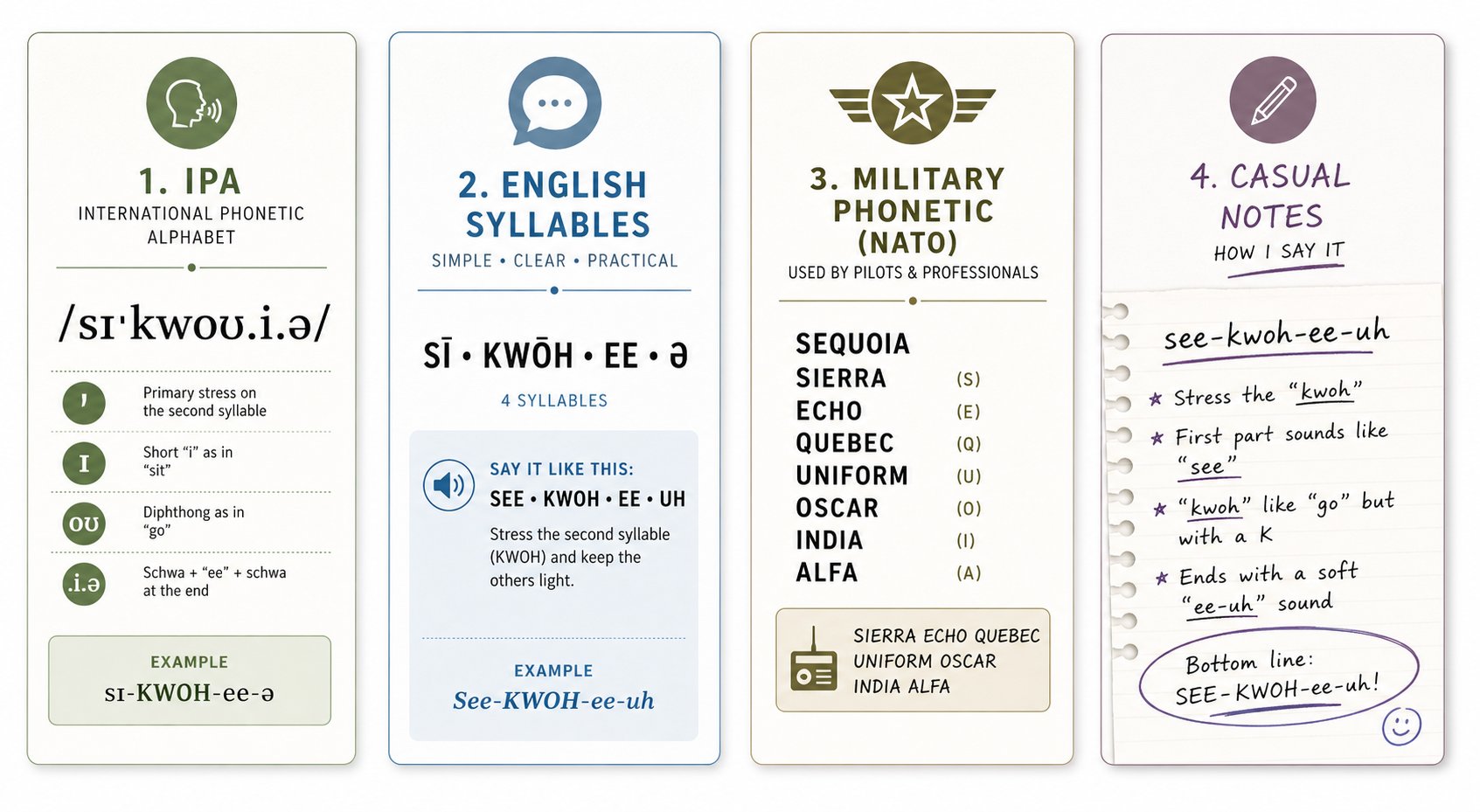
Four major phonetic systems show up most often when representing name pronunciations. Each has a distinct look, a specific level of precision, and a context where it works best. Understanding the differences helps you pick the right one every time, whether you're generating output from a tool or writing a pronunciation guide by hand.
IPA vs Respelling vs Simplified Phonetics
The International Phonetic Alphabet (IPA) is the gold standard for precision. Developed in the late 19th century by linguists and language teachers, it assigns a unique symbol to every distinct speech sound across all human languages. Each symbol maps to exactly one sound, eliminating the ambiguity that plagues English spelling. The name "Siobhan," for example, becomes /ʃɪˈvɔːn/ in IPA. There is no guessing involved if you can read the symbols.
The catch? IPA consists of 107 base letters, 52 diacritics, and additional prosodic marks. That level of detail makes it invaluable for linguists, speech pathologists, and dictionary publishers, but overwhelming for most people. Unless your audience has phonetics training, IPA creates more confusion than it resolves.
Simplified respelling systems bridge this gap. They use familiar English letter combinations and capitalization to represent sounds, making them readable without any special training. Wikipedia's respelling key is one well-known example, boiling IPA down to what's relevant for English and using uppercase letters to mark stressed syllables instead of IPA's raised vertical line. In this system, "Siobhan" becomes something like "shih-VAWN," instantly readable by anyone.
Casual phonetic notation takes simplification even further. It drops all formal conventions and just uses whatever English words or syllables get closest to the target sound. You might write "Siobhan = shuh-VON" in an email or event program. There are no official rules, no standardized symbols. It's intuitive but imprecise, and two people might write the same name differently.
The NATO phonetic alphabet occupies a completely different space. It doesn't represent pronunciation at all. Instead, it assigns a code word to each letter of the alphabet (Alpha, Bravo, Charlie, and so on) to prevent miscommunication when spelling words aloud, especially over radio or phone. You'd use it to spell out a name letter by letter: "S-I-O-B-H-A-N" becomes "Sierra-India-Oscar-Bravo-Hotel-Alpha-November." It tells the listener exactly which letters are in the name but nothing about how to say it as a whole.
Matching the Right Phonetic System to Your Audience
Which phonetic system to use for name pronunciation depends entirely on who will read it and what they need to do with it. A linguist documenting dialect variations needs IPA's precision. A conference emcee needs something they can glance at and speak aloud without hesitation. A customer service agent confirming a spelling over the phone needs the NATO alphabet.
Here's how the four systems compare side by side, using the name "Aoife" (an Irish name pronounced like "EE-fuh") as a consistent example:
| System Name | Format Example ("Aoife") | Readability Level | Best Use Case | Audience |
|---|---|---|---|---|
| IPA (International Phonetic Alphabet) | /ˈiːfə/ | Low (requires training) | Linguistic research, dictionaries, speech therapy | Linguists, phoneticians, language professionals |
| Simplified Respelling | EE-fuh | High (intuitive for English speakers) | Event programs, HR directories, pronunciation guides | General professionals, event coordinators, educators |
| NATO Phonetic Alphabet | Alpha-Oscar-India-Foxtrot-Echo | High (for spelling only) | Phone/radio communication, confirming name spelling | Customer service, military, aviation, call centers |
| Casual Phonetic Notation | sounds like "ee-fah" | Very high (no learning curve) | Informal notes, email signatures, quick personal guides | Anyone in informal or social contexts |
A few patterns emerge from this comparison. IPA is the only system that can represent sounds from any language without ambiguity, making it essential for multilingual contexts where precision matters. Simplified respelling hits the sweet spot for most professional situations: it's accurate enough to guide pronunciation and accessible enough that anyone can use it immediately. The NATO alphabet solves a different problem entirely, ensuring correct spelling rather than correct pronunciation. And casual notation works fine for low-stakes, one-on-one situations where you can always clarify in person.
When you use a phonetic name pronunciation generator, pay attention to which system it outputs. Some tools default to IPA, which is technically precise but useless if you're handing the result to a non-specialist. Others produce simplified respellings that work for most real-world scenarios. The best approach is knowing what you need before you generate, then converting between systems if the tool's default doesn't match your context.
This phonetic respelling systems comparison also reveals a practical truth: no single system is universally "best." Each one trades precision for accessibility or vice versa. The skill lies in matching the system to the situation, and knowing enough about each format to interpret or convert results when a generator hands you output in the wrong one.
How to Generate and Verify Phonetic Pronunciations Effectively
Knowing which phonetic system fits your situation is one thing. Getting a reliable result out of a generator is another. These tools are only as useful as the input you give them and the critical eye you bring to their output. A careless copy-paste can leave you mispronouncing a name with false confidence, which is arguably worse than admitting you don't know.
Here's how to use a phonetic name generator step by step, from initial input to verified result.
Step-by-Step Process for Generating Accurate Phonetic Spellings
- Enter the full name with correct spelling. Double-check for accents, diacritics, and special characters. A missing accent mark on a name like "Renee" versus "Renée" can shift the output entirely. Copy the name directly from a reliable source rather than typing from memory.
- Specify the language or origin if the tool allows it. Many generators default to English pronunciation rules. If you're working with a name like "Xia" (Mandarin) or "Seamus" (Irish), selecting the correct language context steers the algorithm toward the right phonological rules.
- Choose your preferred output format. Select IPA if you need precision for a linguistic context, or simplified respelling if you need something readable at a glance. Picking the format upfront saves you from converting later.
- Review the output critically. Read the phonetic spelling aloud. Does it produce a sound that feels natural for the name's cultural origin? If the tool offers an audio playback, listen to it and compare against the written transcription.
- Cross-reference with a second source. Search for the name on pronunciation databases, YouTube videos of native speakers introducing themselves, or LinkedIn profiles where people record their own name audio. One source is a guess. Two sources that agree are a confirmation.
- Iterate if the result feels wrong. Try alternate spellings, add or remove hyphens, or switch the language setting. Some tools respond differently to "Nguyen" versus "nguyen" versus "Nguyễn." Small input changes can produce significantly different outputs.
Tips for Getting Better Results from Any Generator
Even with a solid process, generators stumble. Here's how to correct wrong phonetic spelling output and improve your results over time:
- Watch for anglicized defaults. Many tools flatten unfamiliar sounds into the nearest English equivalent. If a name contains sounds that don't exist in English, like the French nasal vowel in "Laurent" or the rolled "r" in "Rodrigo," the output may oversimplify. Flag any result that looks suspiciously "English" for a non-English name.
- Test with names you already know. Before trusting a tool with an unfamiliar name, enter a few names whose pronunciation you're confident about. If it gets "Saoirse" or "Joaquin" wrong, you know to treat its other outputs with skepticism.
- Look for stress indicators. A phonetic spelling without stress marking is incomplete. The difference between "ah-DREE-uh" and "AH-dree-uh" changes the name entirely. If the tool doesn't mark stress, add it yourself based on your cross-reference research.
- Ask the person directly when possible. No tool replaces a direct conversation. If you have access to the name's owner, a quick "I want to make sure I say your name correctly" is always the most reliable path. Use the generator's output as a starting point for that conversation, not a substitute for it.
The goal isn't blind trust in any single tool. It's building a verification habit: generate, review, cross-check, and confirm. That habit is what separates someone who gets names right from someone who just hopes for the best. And when a generator can't get you there, the ability to build a phonetic spelling from scratch becomes your safety net.
Manual Phonetic Spelling Skills When Generators Fall Short
That safety net doesn't require special software or a linguistics degree. It requires a repeatable method for breaking any name into sounds you can write down and read back. Once you internalize this process, you'll be able to manually create phonetic spelling for names from any language, even when no tool gives you a usable answer.
Think of it like learning to cook from scratch instead of relying on meal kits. The kits are convenient, but when the delivery doesn't show up, you still need to eat. These phonetic transcription techniques for beginners give you that foundational skill.
Breaking Down Any Name Into Phonetic Syllables
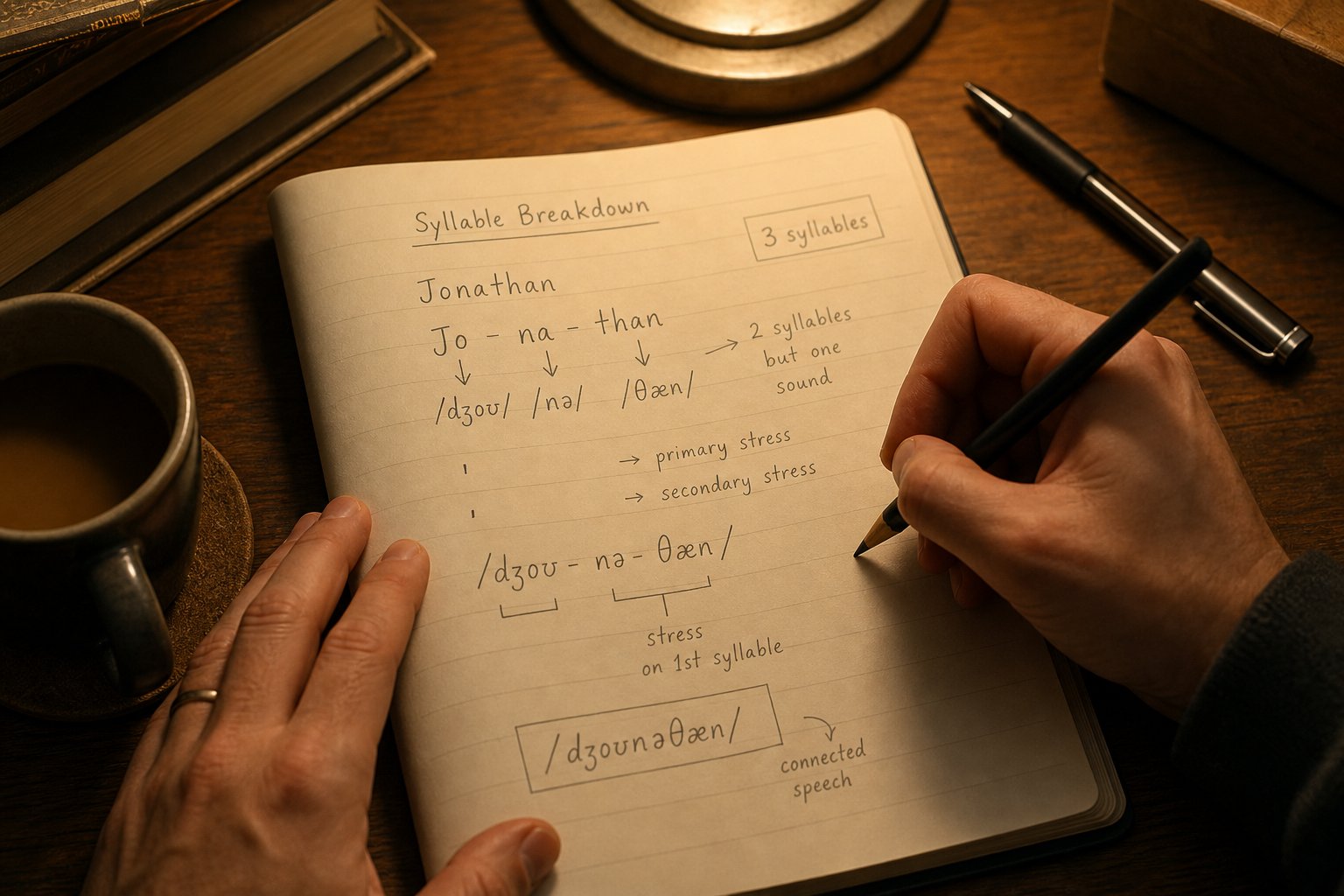
Every name, no matter how unfamiliar it looks on paper, is made up of syllables. A syllable is simply a unit of sound built around a vowel. Your job is to identify where those vowel-centered chunks begin and end, then represent each one using familiar English sounds.
Here's the step-by-step method to break down a name into phonetic syllables:
- Listen to the name spoken aloud at least twice. Use a recording from the person themselves, a native speaker on video, or a pronunciation database. You cannot transcribe what you haven't heard. If no audio exists, move to step two with the understanding that your result is an approximation.
- Count the vowel sounds, not the vowel letters. Each vowel sound you hear corresponds to one syllable. The name "Chidinma" has three vowel sounds: chi-DIN-ma. The name "Aoife" looks like it has three vowels but produces only two syllables: EE-fuh. Trust your ears over your eyes.
- Identify the consonant boundaries between syllables. Consonants typically attach to the vowel that follows them. In "Nakamura," the breakdown is na-ka-MU-ra, not nak-am-ur-a. Each consonant leads into the next vowel sound.
- Mark the stressed syllable. One syllable in every name gets more emphasis than the others. Capitalize it or place an apostrophe before it. The difference between "ha-REEM" and "HAH-reem" changes the name entirely. If you're unsure where the stress falls, listen for which syllable is louder, longer, or higher in pitch.
- Replace each syllable with the closest English equivalent. Find an English word or word fragment that produces the same sound. If the first syllable of a name sounds like the word "she," write "shee." If it sounds like the "oo" in "food," write "oo." Anchor every syllable to something your reader already knows how to say.
- Read your transcription back aloud and compare. Does it produce something close to what you heard? If a syllable sounds off, swap in a different English approximation and test again.
This process works for any name regardless of origin. The name "Tchaicovsky" becomes "chy-KAWF-skee." The name "Xiomara" becomes "see-oh-MAH-rah." You're not aiming for linguistic perfection. You're aiming for a guide that gets someone 90% of the way there on the first attempt.
Representing Unfamiliar Sounds in Simplified Notation
Some names contain sounds that simply don't exist in English. The Mandarin "x" (a soft "sh" made with the tongue closer to the teeth), the Arabic "kh" (a friction sound deep in the throat), the Zulu click in "Xhosa." No English syllable captures these exactly. But you can still represent unfamiliar sounds in English phonetics by using the closest available approximation plus a brief note.
Here are common phonetic notation conventions that help you handle these situations:
- Use capitalization for stress only. Write the stressed syllable in uppercase letters: "ah-DREE-ah-nah." Keep unstressed syllables lowercase so the reader's eye immediately finds the emphasis point.
- Hyphenate between syllables. Hyphens signal where one sound unit ends and the next begins: "sah-TEER-ee-oh" rather than "sateereeoh."
- Use "kh" for guttural fricatives. When a name contains the throaty sound found in Arabic, Hebrew, or Scottish "loch," write "kh" and note that it's pronounced like clearing the throat gently. Example: "Khalid" becomes "KHAH-lid (kh as in loch)."
- Use "ng" for velar nasals. The sound at the end of "sing" appears at the beginning of many names in languages like Vietnamese and Igbo. Write "ng" and note it's a single sound, not "n" followed by "g."
- Mark approximations with a tilde or parenthetical note. When no English sound comes close, pick the nearest option and flag it: "Xhosa" might become "KOH-sah (the 'K' is actually a click sound)." This tells the reader they're getting an approximation, not an exact match.
- Represent tones with directional arrows or descriptors when critical. For tonal languages like Mandarin or Yoruba, you can add "(rising tone)" or "(high tone)" after the relevant syllable if the tone changes the name's meaning or identity.
- Avoid silent letters entirely. If a letter isn't pronounced, leave it out of your phonetic spelling. The French name "Beauchamp" becomes "BOH-shom," not "bee-ay-you-champ."
A practical example pulls this together. Say you need to pronounce the name "Nguyễn Thị Thanh." No English-centric generator handles this well. Manually, you'd break it down: the surname sounds approximately like "nwee-EN" (with a slight nasal quality), the middle name is "tee" (with an aspirated "t"), and the given name is "tahng" (rhyming with "sung" but starting with "t"). You'd write it as: "nwee-EN tee TAHNG (approximate; ask the person for confirmation)." That parenthetical honesty is part of the skill. Acknowledging the gap between your approximation and the actual sound shows respect rather than carelessness.
These manual skills don't replace a phonetic name pronunciation generator. They complement it. You use the tool when it works, and you fall back on your own ears and method when it doesn't. Together, they cover nearly any name you'll encounter. But some names push even skilled manual transcription to its limits, particularly those from language families whose sound systems differ radically from English.
Multilingual Name Challenges and Language-Specific Solutions
English uses roughly 44 distinct sounds. Mandarin uses tones that change a word's meaning entirely. Zulu uses clicks that have no equivalent in any European language. Arabic uses fricatives produced deep in the throat. When a name carries sounds from these systems, even a well-trained phonetic name pronunciation generator hits a wall, because it's trying to map unfamiliar territory onto a limited English sound palette.
Understanding language-specific name pronunciation challenges doesn't just help you evaluate tool output. It helps you anticipate where errors will appear and build better approximations on your own.
Names from Tonal and Non-Latin Languages
The biggest category of phonetic generator problems with non-English names involves features that English simply doesn't have. Here are the major language families and the specific challenges they present:
- Tonal languages (Mandarin, Vietnamese, Yoruba, Thai): These languages use pitch to distinguish meaning. The Mandarin name "Lì" (rising tone) and "Lì" (falling tone) are different names entirely, but most generators output the same flat syllable for both. Vietnamese names like "Phượng" layer tone over vowel quality, creating a sound that no English respelling captures accurately.
- Aspirated and retroflex consonants (Hindi, Korean, Tamil): Hindi distinguishes between "t" and "th" (aspirated), "d" and "dh," and retroflex versions of each where the tongue curls back. The name "Dhruv" contains both aspiration and a retroflex "r" that English speakers typically flatten into a standard "dr" sound. Korean names like "Cheol" use aspirated consonants that generators often reduce to their unaspirated English equivalents.
- Click consonants (Zulu, Xhosa, Khoisan languages): The "X" in "Xhosa" represents a lateral click, a sound made by pulling the tongue sharply from the side of the mouth. The "Q" in names like "Qiniso" is a post-alveolar click. No combination of English letters produces these sounds, and generators typically substitute a "k" or "z" that bears no resemblance to the original.
- Guttural and pharyngeal sounds (Arabic, Hebrew, Scots Gaelic): Arabic names frequently contain the pharyngeal fricative "ʿayn" (as in "ʿAli") and the uvular fricative "kh" (as in "Khaled"). These sounds are produced in parts of the throat that English speakers rarely engage. Hebrew names like "Chaim" use the same "ch" fricative that generators often render as a hard "k" or a soft "h," both of which miss the mark.
- Silent and counter-intuitive letter combinations (French, Irish, Polish): French names routinely silence final consonants: "Beaumont" is "boh-MOH," not "bow-mont." Irish names follow orthographic rules that look alien to English readers: "Caoimhe" is "KEE-vuh," "Meadhbh" is "MAYV." Polish consonant clusters like "Szcz" in "Szczepan" (roughly "SHCHEH-pahn") overwhelm tools trained primarily on English patterns.
Common Generator Failures and Language-Specific Workarounds
Why do generators fail so consistently with these names? The root cause is training data bias. Most phonetic tools are built on datasets dominated by English, Spanish, and other widely digitized languages. Names from oral traditions, minority languages, or scripts with complex romanization systems are underrepresented. The model has seen "Michael" ten thousand times but "Mbalenhle" perhaps never.
A second issue is that many generators strip context. They process letters in isolation without considering the language system those letters belong to. The letter combination "ng" means one thing in English ("sing"), another in Vietnamese (a standalone initial consonant), and something else in Igbo. Without language identification, the tool defaults to English rules and produces garbage.
Here's how to approximate foreign name sounds in phonetics when tools can't help, organized by challenge type:
For tonal names: Focus on getting the consonants and vowels right first. Tone is the hardest element for English speakers to reproduce, but getting the segmental sounds correct still brings you much closer than a wrong guess. If you know the tone matters for distinguishing the name from another, add a parenthetical note: "(rising tone on second syllable)." When learning how to pronounce tonal language names in English, accept that a flat approximation is your starting point, not your ceiling.
For aspirated consonants: Add a small puff of air after the consonant. English speakers already aspirate the "p" in "pin" versus "spin." Use that natural instinct. Write "t(h)" or note "(with a breath after the t)" to signal aspiration without confusing it with the English "th" sound in "the."
For click consonants: Be honest that English cannot represent these in writing. Use the closest substitute (often "k" for the "q" click, "ts" for the dental click) and always flag it: "(the initial sound is a click, not a 'k')." Encourage listeners to look up audio examples rather than relying solely on your written guide.
For guttural sounds: Use "kh" for the uvular fricative and describe it as "the 'ch' in Scottish 'loch' or German 'Bach.'" For the deeper pharyngeal sounds in Arabic, there's no clean English parallel. Write the closest vowel sound and note: "(produced deeper in the throat than English allows)."
For silent letters and opaque spelling: Ignore the written form entirely and transcribe only what you hear. This is where audio references become non-negotiable. The spelling of Irish and French names actively misleads English readers, so your phonetic guide should reflect sound, not letters. "Niamh" becomes "NEEV." "Geneviève" becomes "zhon-vee-EV." Trust the pronunciation, not the page.
Phonetic pronunciation for multilingual names will never be perfect when filtered through English. Every approximation loses something. But a thoughtful approximation that acknowledges its own limits is worlds better than a confident mispronunciation. The key is pairing your best phonetic guess with a willingness to be corrected, and knowing which specific sounds in which language families are most likely to trip you up.
These language-specific challenges also raise a practical question: once you have a workable phonetic spelling, where and how do you present it? A graduation program, a sales call script, and a LinkedIn profile each demand different formatting choices, and the wrong presentation can make even an accurate transcription useless.
Choosing the Right Phonetic Format for Every Context
A perfectly accurate phonetic spelling becomes useless if it's buried in the wrong place or formatted in a way your audience can't parse in the moment they need it. An emcee scanning a graduation program at arm's length needs something different from a recruiter reviewing a candidate profile on screen. The best phonetic format for corporate introductions isn't the same one that works in a casual email signature. Context dictates everything.
Here's a quick-reference table matching common real-world scenarios to the format, placement, and style that works best in each:
| Context | Recommended Format | Placement | Example |
|---|---|---|---|
| Graduation ceremony | Simplified respelling with stress in CAPS, large font | Printed name card or announcer's list, directly below the official name | Aoife Ni Bhriain — EE-fuh nee VREE-un |
| Corporate introduction / meeting | Simplified respelling, brief and scannable | Meeting agenda, speaker bio, or intro script | Saoirse Ronan — SUR-shuh ROH-nun |
| Email signature | Casual phonetic notation or audio link | Directly below or beside the sender's name | Xiomara Vega (pronounced: see-oh-MAH-rah VAY-gah) |
| LinkedIn / digital profile | Audio recording + optional respelling in the name field | LinkedIn name pronunciation feature or headline/about section | [Audio clip] + "Pronounced: ah-NEES" |
| Event program / conference badge | Simplified respelling, parenthetical | Parentheses after the printed name on badges, programs, or signage | Nguyen Thi Thanh (nwee-EN tee TAHNG) |
| Sales call / outreach script | Simplified respelling with syllable breaks and stress | Inline within the call script, next to the prospect's name | Contact: Rajesh Krishnamurthy — rah-JAYSH krish-nah-MOOR-tee |
| Voicemail greeting | Self-recorded audio (no written format needed) | The greeting itself serves as the pronunciation guide | "Hi, you've reached Siobhan (shih-VAWN)..." |
Phonetic Formats for Professional and Academic Settings
Graduation ceremonies are where phonetic name pronunciation matters most visibly. Hundreds of names read aloud in sequence, each one a single chance to get it right. The format needs to be glanceable under stage lighting with zero hesitation. Best practice for commencement events involves collecting audio recordings and phonetic spellings from students weeks in advance, then printing announcer cards with the simplified respelling in a large, bold font directly beneath the official name. Stress marking in capital letters is non-negotiable here. An announcer reading "kah-OIM-hee" versus "KAH-oim-hee" will produce two completely different sounds, and there's no second take at a podium.
Corporate introductions follow similar logic but with less time pressure. When you're introducing a speaker at a conference or welcoming a new hire in a team meeting, the phonetic guide lives in your notes or the meeting agenda. Simplified respelling works perfectly. Keep it to one line, hyphenate syllables, capitalize the stress, and skip any notation that requires explanation. If you're preparing an intro script for someone else to read, test it by handing the respelling to a colleague cold. If they can say the name correctly on the first try without asking questions, your format works.
Event programs and conference badges sit somewhere between these two. Attendees glance at a badge for maybe two seconds. A parenthetical respelling after the printed name gives them just enough to attempt the pronunciation without cluttering the design. Keep it short: first name pronunciation only if space is tight, since that's what people use in conversation.
Adding Pronunciation Guides to Digital Profiles and Communications
Digital contexts offer something physical formats can't: audio. LinkedIn's built-in name pronunciation feature lets you record a short clip that plays when someone visits your profile. Microsoft 365 rolled out a similar feature for profile cards, allowing colleagues to hear recorded name pronunciations directly within Outlook and Teams. If your platform supports audio, use it. No written phonetic system matches the clarity of hearing the actual person say their own name.
For email signatures, the approach shifts. You're working with limited visual real estate and a reader who may skim past anything that looks like clutter. The most effective method is placing a brief phonetic spelling in parentheses directly after your name, or adding a small "Hear my name" hyperlink that points to an audio recording. Separate syllables with hyphens, bold the stressed syllable if your email client supports it, and keep the whole thing under ten characters when possible. Something like "Anais (ah-nah-EES)" integrates cleanly without disrupting the signature's visual flow.
Sales calls and outreach scripts demand a different priority: speed of recognition. A rep scanning a call list needs to spot the pronunciation instantly, without hunting through notes. Place the respelling inline, right next to the prospect's name, formatted identically every time so the eye knows exactly where to look. Consistency across the entire list matters more than any individual formatting choice. Pick one style and stick with it for every name on the sheet.
Voicemail greetings are the simplest case. You are the pronunciation guide. Record your greeting, say your name clearly at natural speed, and optionally repeat it once. Some people add a brief phonetic hint after their name for callers who might need to reference it later: "You've reached Caoimhe, that's KEE-vuh, at extension 4012." This small addition saves return callers from second-guessing themselves every time they dial back.
The thread connecting all these contexts is the same: match the format to the moment of use. A format that works beautifully in a printed directory fails on a conference badge. A format perfect for a call script looks odd in a LinkedIn headline. When you generate a phonetic spelling, the final step isn't just verifying accuracy. It's adapting the presentation to the exact situation where someone will read it, hear it, or speak it aloud. That adaptation is what turns a correct pronunciation into one that actually gets used, and it's what makes phonetic tools genuinely useful across an entire organization rather than just for individual lookups.

Implementing Phonetic Name Tools for Workplace Inclusion
Individual effort only goes so far. You can master phonetic systems, verify generator output, and manually transcribe unfamiliar names, but if your organization doesn't create the infrastructure to support correct pronunciation at scale, the burden falls unevenly on the people whose names get mangled most often. Building an inclusive name culture in organizations means moving from personal skill to systemic practice.
Phonetic name pronunciation for workplace inclusion isn't a nice-to-have perk. It's a structural component of belonging. When someone's name is consistently mispronounced or avoided entirely, the message is clear: you're not worth the effort. That experience compounds over time, eroding trust, engagement, and psychological safety.
Chronic mispronunciation of names can undermine one's identity and be experienced as a microaggression, leading individuals to feel marginalized, not accepted, and undervalued in their workplace.
Research published in MedEdPORTAL confirms that repeated name mispronunciation functions as a racial microaggression, with cumulative effects that can shift self-perception and create barriers to networking, connecting, and progressing at work. The study also found that power dynamics and hierarchy prevent people from correcting mispronunciations, meaning the problem persists silently unless organizations actively intervene.
Building a Name-Inclusive Culture in Your Organization
Culture change starts with visibility. When pronunciation guides are embedded into everyday systems rather than treated as special accommodations, correct name usage becomes the default rather than the exception. Several organizations have already modeled what this looks like in practice.
Penn State's Human Resources department rolled out a Workday feature allowing employees to record audio pronunciations of their names directly in their profiles. Colleagues can search for and listen to the pronunciation before a meeting, introduction, or email. The feature is integrated into the onboarding process for new hires, normalizing it from day one rather than asking people to opt in later. As Penn State's vice president of human resources noted, these tools represent "an important effort towards creating a more inclusive and welcoming environment for all employees."
This kind of systemic integration matters because it removes the awkwardness of asking. When pronunciation is available in a profile, people use it. When it requires a separate conversation, many people skip it out of discomfort or time pressure. The goal is making correct pronunciation as accessible as looking up someone's job title.
Actionable Steps for HR and Event Teams
Whether your organization uses Workday, another HRIS, or a simple shared directory, here's how to implement name pronunciation in HR systems and daily operations:
- Add a phonetic spelling field to your employee directory. Include a text field where employees can enter their own simplified respelling (e.g., "ah-NEES" for Anis). Make it optional but visible, and prompt people to fill it during onboarding.
- Enable audio name recordings in your HR platform. If your system supports it, let employees upload or record a short audio clip of their name. Platforms like Workday, Microsoft 365, and LinkedIn already offer this. If your platform doesn't, a shared internal page with embedded audio files works as a low-tech alternative.
- Integrate pronunciation collection into onboarding workflows. Don't wait for people to discover the feature months later. Ask new hires to provide their phonetic spelling and audio recording alongside other personal information during their first week. Penn State's approach of embedding this into the same onboarding step as marital status and emergency contacts is a strong model.
- Establish a "name check" norm for meetings. Before introducing someone in a meeting, check their profile for pronunciation. For recurring meetings with new attendees, open with a brief round where everyone says their own name. This normalizes correct pronunciation without singling anyone out.
- Create pronunciation guides for all-hands events and ceremonies. For company events, award ceremonies, or town halls, collect phonetic spellings from all speakers and honorees in advance. Provide announcers with printed guides using simplified respelling and stress markers.
- Train managers on pronunciation as a leadership competency. Include name pronunciation in DEI training and manager onboarding. Frame it as a concrete, measurable behavior rather than an abstract value. A manager who consistently says team members' names correctly builds trust faster than one who avoids names altogether.
- Make correction safe and easy. Create a culture where correcting a mispronunciation is welcomed, not awkward. Model this from leadership: when a senior leader says "I want to make sure I'm saying your name right," it signals that getting it right matters and that asking is expected, not embarrassing.
- Audit event protocols for name inclusion. Review how names are handled at conferences, graduations, client meetings, and public-facing events. Ensure that phonetic guides are collected proactively, not scrambled together backstage five minutes before someone walks to a podium.
DEI name pronunciation best practices share a common thread: they shift the responsibility from the individual whose name is being mispronounced to the organization and its systems. Instead of expecting someone named Xiomara to correct every colleague individually, the system makes her pronunciation available before the first interaction ever happens.
The tools covered throughout this article, from AI-powered generators to manual transcription methods to context-specific formatting, all feed into this larger organizational goal. A phonetic name pronunciation generator gives you the starting point. Verification skills give you accuracy. And systemic implementation ensures that accuracy reaches everyone who needs it, not just the one person who happened to look it up. When pronunciation infrastructure becomes as routine as a company email directory, getting names right stops being an individual act of courtesy and becomes an organizational standard.
Frequently Asked Questions About Phonetic Name Pronunciation Generators
1. How accurate are phonetic name pronunciation generators?
Accuracy depends heavily on the tool's training data and the name's language of origin. Names from widely spoken languages like English, Spanish, or Mandarin tend to produce reliable results because these languages have large digital footprints in pronunciation databases. However, names from less-represented languages, regional dialects, or families with unique pronunciations often receive inaccurate output. No single generator achieves perfection across all name origins, which is why cross-referencing results with a second source and verifying output by listening to native speakers is essential for reliable pronunciation.
2. What is the difference between IPA and simplified phonetic respelling for names?
The International Phonetic Alphabet (IPA) uses 107 base letters and 52 diacritics to represent every distinct speech sound across all human languages with zero ambiguity. It requires training to read and is used by linguists, speech pathologists, and dictionary publishers. Simplified phonetic respelling uses familiar English letter combinations and capitalization to represent sounds, making it instantly readable without special training. For example, the Irish name Aoife appears as /iːfə/ in IPA but as EE-fuh in simplified respelling. Most professional contexts like event programs, HR directories, and meeting scripts benefit from simplified respelling because anyone can use it immediately.
3. Why do phonetic generators struggle with non-English names?
Most generators are built on datasets dominated by English and other widely digitized languages, creating a training data bias. They also tend to process letters without considering the language system those letters belong to. For example, the letter combination 'ng' means different things in English, Vietnamese, and Igbo. Without proper language identification, tools default to English rules. Additionally, many languages use sounds that have no English equivalent, such as Mandarin tones, Zulu clicks, or Arabic pharyngeal fricatives, which cannot be accurately mapped onto the limited English sound palette these tools use for output.
4. How can I add a name pronunciation guide to my email signature or LinkedIn profile?
For email signatures, place a brief phonetic spelling in parentheses directly after your name, such as 'Anais (ah-nah-EES),' or add a hyperlink labeled 'Hear my name' pointing to an audio recording. Keep it under ten characters when possible to avoid visual clutter. For LinkedIn, use the platform's built-in name pronunciation feature to record a short audio clip that plays when someone visits your profile. You can also add a respelling in your headline or about section. Microsoft 365 offers similar audio recording features for profile cards in Outlook and Teams, letting colleagues hear your name before meetings.
5. How do organizations implement phonetic name pronunciation for workplace inclusion?
Effective implementation involves systemic changes rather than individual effort. Key steps include adding phonetic spelling fields and audio recording options to employee directories, integrating pronunciation collection into onboarding workflows during the first week, establishing 'name check' norms before meetings, and training managers on pronunciation as a leadership competency. Organizations like Penn State have embedded audio pronunciation features into their Workday HRIS, making correct pronunciation as accessible as looking up a job title. The goal is shifting responsibility from the person whose name is mispronounced to the organizational systems that should make pronunciation available proactively.