Understanding Reverse Pinyin to Chinese Character Conversion
Imagine you see the romanized text "shi" written on a language worksheet or a travel guide. You know it represents a Chinese word, but which one? The character for "is" (是)? "Ten" (十)? "Stone" (石)? "History" (史)? This is the core challenge of reverse pinyin to Chinese character conversion: taking a romanized spelling and working backward to identify the correct character or characters it represents.
What Reverse Pinyin Lookup Actually Means
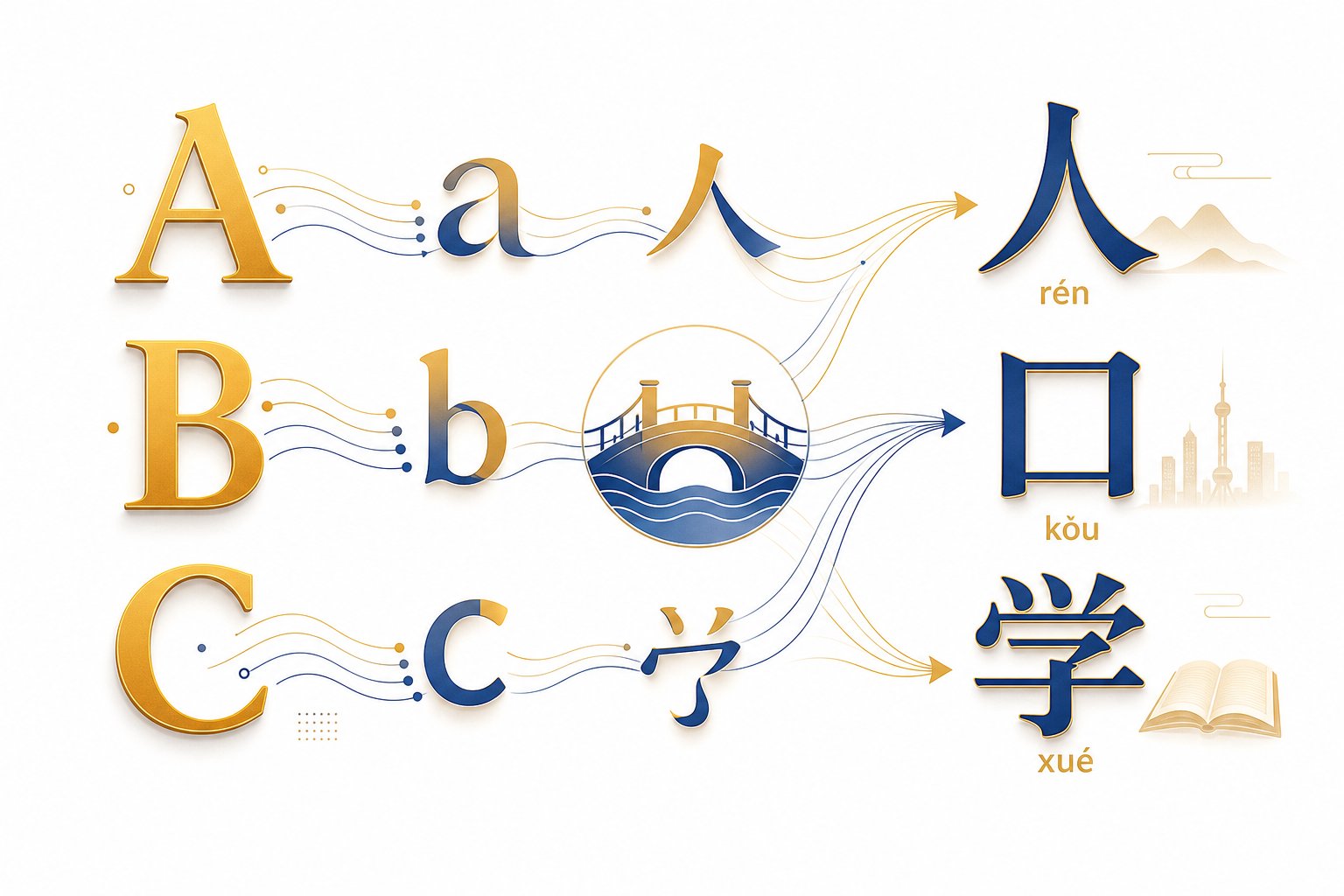
Pinyin is the official romanization system for Mandarin Chinese. It uses Latin letters to spell out the sounds of Chinese words, serving as a bridge between pronunciation and written characters. Converting pinyin to Chinese characters means reversing that bridge, going from sound back to meaning.
This is fundamentally different from translation. A translator moves meaning between two languages. A pinyin-to-character lookup stays within Chinese, converting one representation of the same language into another. Think of it less like translating English to French and more like decoding shorthand back into full script. A chinese character translator tool handles cross-language meaning, while a reverse pinyin lookup handles intra-language decoding.
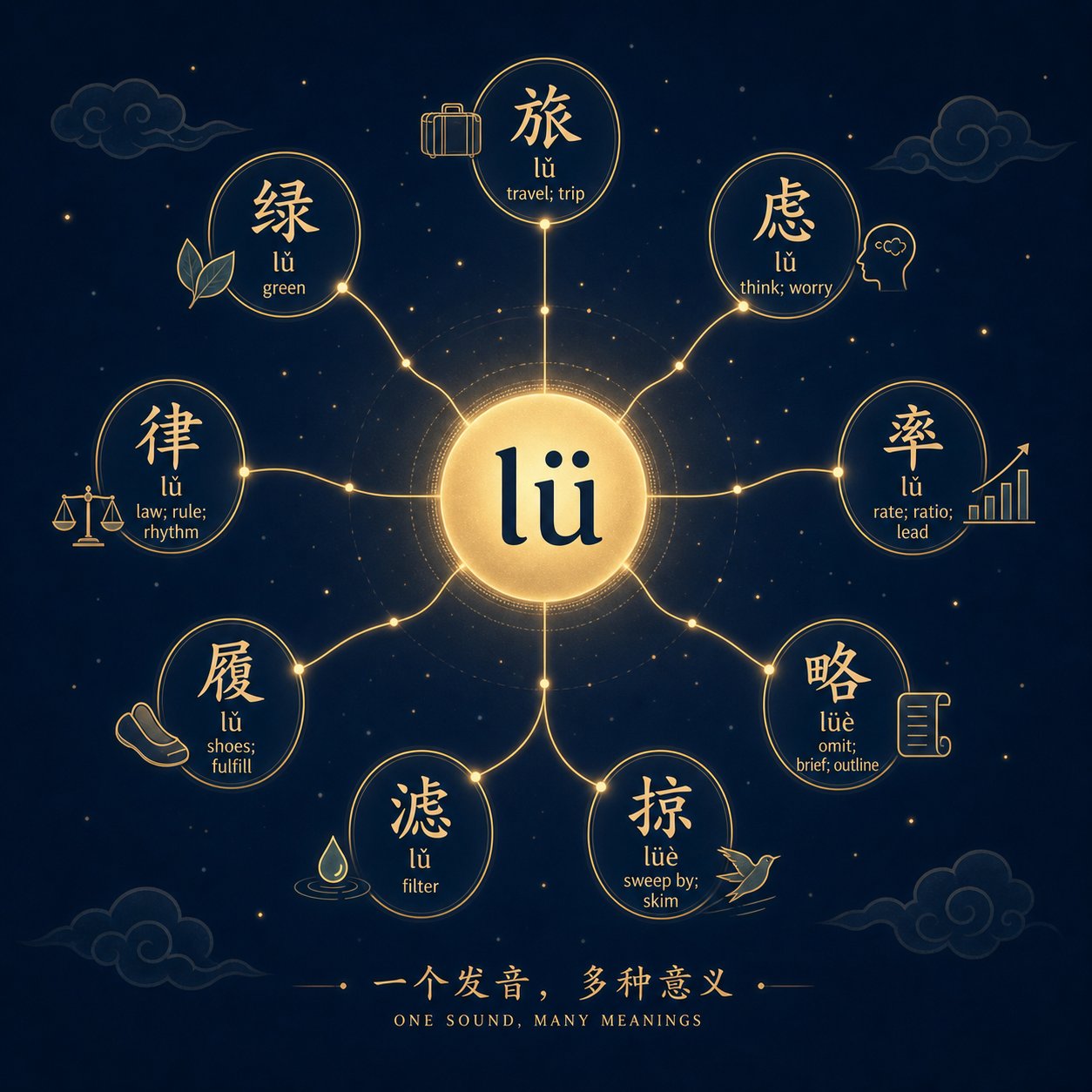
Because modern Mandarin contains hundreds of homophones, a single pinyin syllable can map to dozens of distinct characters. This one-to-many relationship makes pinyin to Chinese character conversion inherently ambiguous and fundamentally non-deterministic without additional context.
As linguist Victor Mair noted in a Language Log discussion, there are simply too many homophones among the tens of thousands of Chinese characters for any simple one-to-one conversion to exist. The output is never guaranteed from the input alone.
Who Needs Pinyin to Character Conversion
Several groups regularly need to convert pinyin into characters:
- Language learners who encounter pinyin in textbooks and need to identify the corresponding characters for study or writing practice.
- Researchers working with romanized historical texts, bibliographic records, or datasets where Chinese names appear only in pinyin form.
- Travelers decoding signs, menus, or maps that display pinyin alongside or instead of characters.
- Professionals using a mandarin character translator who need to verify that romanized input produces the intended output.
For each of these users, the challenge is the same: pinyin to chinese characters is not a simple dictionary swap. It requires navigating ambiguity, and the depth of that ambiguity depends on how much information the pinyin string carries, starting with whether it includes tone markings at all.

The One-to-Many Mapping Problem Explained
That ambiguity hinted at in the previous section is not a minor inconvenience. It is the defining challenge of converting pinyin to chinese characters. Even when you supply a tone, a single syllable can still point to dozens of completely unrelated characters. Understanding why this happens requires a look at both the structure of Mandarin phonology and the historical forces that shaped it.
Why One Pinyin Maps to Many Characters
Mandarin Chinese has strict phonological constraints on how syllables can be formed. Each syllable follows a fixed pattern: an optional initial consonant, a vowel or vowel combination, and an optional nasal or retroflex ending. This structure limits the total inventory to roughly 400 unique syllables when tones are ignored. Add the four tones plus the neutral tone, and the count rises to around 1,300 to 1,522 tonal syllables.
Sounds manageable? Consider that modern Chinese uses well over 10,000 characters in regular circulation. The math is straightforward: with an average of more than 7.5 characters sharing each tonal syllable, homophones are not the exception but the rule. When you type a chinese word pinyin like "yi4" into a lookup tool, you are not narrowing down to one answer. You are opening a list that can stretch past 100 entries.
A pinyin table or pinyin chart will show you every valid syllable combination in Mandarin, but it cannot show you which character each syllable represents, because the relationship is never one-to-one. The table below illustrates how severe this collision problem gets for some of the most common syllables:
| Pinyin Syllable (with tone) | Approximate Number of Character Matches | Example Characters |
|---|---|---|
| yi4 | 125+ | 义, 意, 易, 亿, 议, 艺, 忆 |
| shi4 | 40+ | 是, 事, 市, 世, 式, 势, 士 |
| ji4 | 35+ | 记, 计, 际, 技, 季, 寄, 继 |
| li3 | 30+ | 理, 里, 礼, 李, 鲤, 锂, 俚 |
| zhi4 | 30+ | 制, 治, 质, 志, 致, 智, 置 |
| bei3 | 3 | 北, 褙, 鐾 |
Notice the contrast. Syllables like "yi4" sit at the extreme end of ambiguity, while "bei3" has almost no competition. This uneven distribution means that some chinese mandarin characters are far harder to identify from pinyin alone than others. The difficulty of your reverse lookup depends heavily on which syllable you are working with.
Historical Roots of Chinese Homophones
Chinese was not always this crowded with homophones. The language evolved from a system with a much richer phonological inventory. Old Chinese likely had consonant clusters, final stop consonants, and possibly no phonemic tones at all. Over centuries, these distinctions eroded. Consonant clusters simplified. Final stops dropped away. Tones emerged in Middle Chinese partly to compensate for lost consonant distinctions, but they could not fully offset the collapse in syllable variety.
The result? Words that once sounded completely different merged into identical pronunciations. As linguistic research documents, syllable groups like "zhi," "chi," and "shi" each absorbed characters that were phonetically distinct in earlier periods. Dialects like Cantonese still preserve many of these older distinctions, which is why Cantonese has far fewer homophones than Mandarin.
This historical compression also explains why Classical Chinese could function with mostly single-syllable words. When the phonological system was richer, one syllable was enough to uniquely identify a word. As sounds merged, the language compensated by creating two-syllable compound words. The modern word for "lion" is 狮子 (shizi), two syllables, but in Classical Chinese it was simply 狮 (shi), one syllable that was once phonetically unique enough to stand alone.
For anyone working with chinese and pinyin today, this history has a practical consequence: the one-to-many mapping is not a flaw in the romanization system. It reflects a deep structural feature of the language itself. No pinyin chart can eliminate the ambiguity because the ambiguity lives in the sound system, not in the spelling convention.
This is precisely why reverse pinyin to chinese character conversion cannot rely on sound alone. The format of your input, specifically whether it carries tone information, becomes the first lever you can pull to reduce the candidate pool before context does the rest of the work.
Pinyin Input Formats and How They Affect Lookup Accuracy
That lever, tone information, comes in several different packaging formats. When you type pinyin into a converter or lookup tool, the way you represent tones directly determines how many candidate characters the tool returns. More tonal precision means fewer results to sift through. Less precision means more guesswork.
Three primary input formats exist for chinese pinyin input, each carrying a different amount of phonetic information:
- Tone marks (diacritics): Unicode characters placed above the main vowel. Example: ma becomes mā, má, mǎ, mà. This is the standard representation in Hanyu Pinyin and the most visually explicit format.
- Tone numbers: A digit appended after the syllable to indicate tone. Example: ma1, ma2, ma3, ma4. Easier to type on a standard keyboard and commonly used in dictionaries, academic texts, and online pinyin tools.
- Unmarked (toneless) pinyin: No tone indication at all. Example: just ma. This is what you often encounter in informal romanizations, street signs, or when someone quickly jots down a word without bothering to mark the tone.
Both tone marks and tone numbers carry equivalent information for lookup purposes. Whether you type pinyin as "shì" or "shi4," the tool receives the same instruction: fourth tone, shi. The candidate pool narrows to the same set of characters. The difference between these two formats is convenience, not accuracy. As Hacking Chinese notes, tone numbers are easy to type while tone marks offer a more direct visual link to pitch contour, but both encode identical tonal data.
Tone Marks vs Tone Numbers in Pinyin Input
When you need to perform a 拼音转换 (pinyin conversion), choosing between marks and numbers often comes down to your keyboard setup. Tone marks require either a specialized input method, copy-pasting special characters, or an online pinyin editor that lets you select diacritics. Tone numbers, on the other hand, work on any keyboard since they use plain digits. Most dedicated converter tools and dictionaries accept both formats interchangeably.
There is also the question of the neutral tone. In Mandarin, unstressed syllables like the second syllable in māma (妈妈, "mom") carry what is called a neutral tone, sometimes labeled tone 5 or tone 0. Its pitch is not fixed but determined by the preceding syllable. In tone-mark notation, the neutral tone is shown by simply omitting the diacritic: mama. In tone-number notation, it appears as ma5 or ma0. Most lookup tools treat the neutral tone as a valid filter, returning only characters that commonly appear in unstressed positions, like particles (了, 吗, 的) and suffixes (子, 头, 们).
How Toneless Pinyin Increases Ambiguity
Dropping tone information entirely is where results get unwieldy. Imagine you type pinyin as just "shi" with no tone. You are now asking the tool to return every character across all four tones plus the neutral tone. That means candidates from shī, shí, shǐ, and shì collapse into a single undifferentiated list. For a syllable like "shi," this can mean 100+ possible characters flooding your results.
Toneless input is common in casual contexts, quick text messages, romanized place names on maps, or older library catalog entries that never recorded tones. If you are working with this kind of source material, expect to rely heavily on context or manual selection to identify the right character. Online pinyin converters will typically rank results by frequency when no tone is specified, placing the most commonly used characters first, but the list remains long and the margin for error stays high.
The takeaway is practical: whenever possible, include tone data in your input. Even tone numbers scribbled quickly as "shi4" cut your candidate pool by roughly 75 percent compared to bare "shi." That single digit is the cheapest disambiguation tool available before you start feeding the system longer strings or full sentences, which is where word-level context begins to do the heavy lifting.

Multi-Character Words vs Single Character Conversion
Feeding a tool one syllable at a time and hoping for the right character is one approach. But real Chinese text rarely operates at the single-syllable level. As Hacking Chinese explains, modern Mandarin has a strong preference for two-character words, meaning that most meaningful units in the language are compounds, not isolated syllables. This distinction between single-character lookup and compound-word conversion changes both the difficulty and the accuracy of pinyin to character results dramatically.
Single Character vs Compound Word Lookup
When you convert a single pinyin syllable like "guo2" to a character, you face the full brunt of the homophone problem. The tool returns 国, 果, 郭, 帼, 蝈, and more. You pick one, move on, and repeat for the next syllable. Each decision is made in isolation, with no surrounding information to guide it.
Compound word lookup works differently. When you input "zhongguo" as a unit, the tool does not just match "zhong" and "guo" independently. It searches its dictionary for a known word that combines both syllables. The result? 中国 (China) surfaces immediately, because "zhongguo" as a compound has a single dominant match. The dozens of candidates for "zhong" alone (中, 钟, 忠, 终, 种, 肿) and "guo" alone (国, 果, 过, 锅) collapse into one clear answer.
Why does this work so well? Because word-level context eliminates candidates that are valid for individual syllables but never appear together. The character 钟 (clock) and 果 (fruit) are both common, but "zhongguo" as a compound never maps to "clock-fruit." The dictionary knows this. A tool performing mandarin pinyin to chinese character conversion at the word level leverages this knowledge to skip the ambiguity entirely.
This is the same principle that makes Chinese readable in the first place. Individual characters carry meaning, but words carry specificity. The compound 东西 (dongxi, "thing") means something entirely different from its component characters 东 (east) and 西 (west) used separately. Converting hanyu pinyin to chinese characters at the word level captures these compound meanings that single-character lookup misses completely.
How to Segment Continuous Pinyin Strings
Here is the catch: compound word lookup only works if the tool knows where one syllable ends and the next begins. When you type "zhongguo," the boundaries are relatively clear to a human reader. But what about "xian"? Is that one syllable (xian, meaning "first" or "line") or two (xi + an, meaning "west peace," as in Xi'an the city)?
This is the segmentation problem. Before any pinyin to characters matching can happen, the continuous string must be sliced into valid syllables. The official Hanyu Pinyin rules use apostrophes to mark boundaries where confusion could arise, like Xi'an versus xian. But in practice, many pinyin strings you encounter lack apostrophes entirely.
Proper segmentation follows a predictable sequence. Whether you are doing it manually or understanding how a tool handles it internally, the steps look like this:
- Identify valid initials and finals. Mandarin has 21 initial consonants and a fixed set of valid final combinations. Any segmentation must produce syllables that exist in the Mandarin phonological inventory.
- Apply the maximal match principle. When multiple splits are possible, prefer the longest valid syllable reading from left to right. For "zhuang," read it as one syllable (zhuang) rather than splitting into "zhu" + "ang," because "ang" alone is rarely a meaningful starting point in a compound.
- Check for apostrophe positions. If the string contains apostrophes, treat them as hard boundaries. "Pi'ao" is pi + ao, not piao.
- Use dictionary matching to validate. After initial segmentation, check whether the resulting syllable groups form known words. If "zhongguo" segments into zhong + guo and matches a dictionary entry, that segmentation is confirmed.
- Resolve remaining ambiguity with context. If multiple valid segmentations exist and no dictionary match resolves them, surrounding text or user selection becomes necessary.
Consider the string "fangan." It could segment as fang + an (方案, "plan") or fan + gan (反感, "aversion"). Both are valid syllable splits, and both produce real words. Without additional context, a chinese pinyin to chinese character tool cannot determine which reading you intend. This is where longer input strings help. If the full input is "zhiding fangan," the tool recognizes 制定方案 ("formulate a plan") as a common collocation and selects the correct segmentation automatically.
Ambiguous boundaries are most common when a syllable ends in "n" or "ng" and the next syllable starts with a vowel. Is "nangan" parsed as nan + gan or nang + an? The answer depends on whether the tool finds a matching word for either reading. Strings like "chang'e" need that apostrophe because without it, "change" looks like a single (invalid) syllable rather than chang + e (嫦娥).
The practical lesson? When performing mandarin pinyin to chinese character conversion, always input the longest meaningful string you can. A single syllable gives you maximum ambiguity. A full word gives you a dictionary match. A full phrase gives you both segmentation confidence and contextual disambiguation, which is exactly the mechanism that modern prediction engines exploit to deliver accurate results at speed.
Context-Based Disambiguation for Accurate Pinyin Translation
Longer input strings help with segmentation, but they do something even more powerful: they provide context. When a pinyin syllable sits inside a phrase or sentence rather than standing alone, the surrounding syllables act as filters that eliminate impossible character candidates. This is the mechanism that transforms a messy list of homophones into a single confident answer.
How Sentence Context Narrows Character Candidates
Consider the syllable "ba" in isolation. Without tone, it maps to characters like 八 (eight), 把 (handle/coverb), 吧 (particle), 爸 (father), 拔 (pull), and many more. You are stuck choosing manually. But place that same syllable inside a sentence, and the picture changes entirely.
In the input string "qing ni ba zazhi song gei wo ba," the two instances of "ba" resolve to completely different characters. The first "ba" sits before a noun (zazhi, magazine) in a position where only the coverb 把 makes grammatical sense. The second "ba" appears at the end of the sentence, a slot reserved for the modal particle 吧. No human reader would confuse them, and neither does a well-designed pinyin translate engine.
As Yin Binyong's research on pinyin-to-character conversion demonstrated, the coverb 把 can never appear at the end of a sentence, while the particle 吧 only appears at the end of sentences or clauses. A conversion system applying even basic grammatical rules can automatically assign the correct character without any user intervention. This is context doing the disambiguation work that tone alone cannot accomplish.
The same principle scales up. When you input a full clause like "jintian tianqi hen hao," each syllable constrains its neighbors. "Jintian" locks in as 今天 (today) because no other common compound matches. "Tianqi" becomes 天气 (weather) for the same reason. "Hen" before an adjective is almost always 很 (very). "Hao" at the end of a descriptive clause defaults to 好 (good). Each resolved word further constrains the remaining candidates, creating a cascade of disambiguation that single-syllable lookup can never achieve.
The longer the input string, the more accurate the conversion. A single syllable produces maximum ambiguity. A word narrows the field. A full sentence often resolves every character without any manual selection at all.
This is why any hanyu pinyin generator or conversion tool will encourage you to type complete thoughts rather than individual syllables. The context is not a bonus feature. It is the primary disambiguation mechanism.
Frequency Ranking and Statistical Prediction
Context handles most cases, but what about syllables where grammatical position alone does not resolve the ambiguity? This is where frequency-based ranking steps in. Every pinyin translation tool maintains internal statistics about how often each character appears in real-world text. When two candidates are both grammatically valid, the tool ranks the more common one higher.
For example, the syllable "de" in Mandarin maps to 的, 得, and 地, all of which appear constantly in everyday text. But 的 is by far the most frequent Chinese character overall, appearing in roughly 4% of all running text. A frequency-ranked system places 的 at the top of any candidate list for "de" unless surrounding context specifically demands one of the alternatives. You will notice this behavior in any chinese pinyin translator: the default suggestion is almost always the statistically dominant character.
Modern input method editors take this further by using statistical language models, specifically n-gram models, that calculate the probability of a character appearing given the characters that precede and follow it. A trigram-based language model, for instance, does not just ask "what is the most common character for this syllable?" It asks "what is the most probable character for this syllable given the two characters that came before it?"
This approach, first formalized in the landmark work by Chen and Lee (2000), models pinyin-to-character conversion as a hidden Markov process. The user's intended character sequence is the hidden state. The typed pinyin is the observable output. The system uses the Viterbi algorithm to decode the most likely character sequence across the entire input string simultaneously, rather than choosing characters one at a time.
What does this look like in practice? Imagine typing "womenshi pengyou." A naive system might convert "shi" to 是 (the most frequent character for that syllable in isolation). But a trigram model recognizes that after 我们 (women, "we"), the syllable "shi" followed by a noun like 朋友 (pengyou, "friends") overwhelmingly predicts 是 as well, confirming the choice with high confidence. If instead you typed "womenshi yiqi de," the model might still select 是, but with different supporting evidence drawn from the pattern of characters surrounding it.
Recent systems have moved beyond simple n-grams. Neural network-based IMEs use recurrent architectures and attention mechanisms to capture longer-range dependencies. Research shows these models reduce character error rates by 20% or more compared to traditional statistical approaches. They can even handle abbreviated pinyin, where users type only the first letter of each syllable, by leveraging deep contextual prediction to fill in the gaps.
The practical implication for anyone performing a pinyin translate task is clear: feed the system as much surrounding text as possible. A hanyu pinyin generator working with a full paragraph will produce dramatically better results than one processing isolated words. The statistical models inside these tools are hungry for context, and every additional syllable you provide tightens the probability distribution toward the correct output.
These prediction engines work impressively well for standard modern Chinese. But they are trained on specific data, typically contemporary Mandarin text using the Hanyu Pinyin romanization system. When your source material uses a different romanization standard entirely, the conversion pipeline needs an extra step before any of this statistical machinery can engage.
How Different Romanization Systems Affect Reverse Lookup
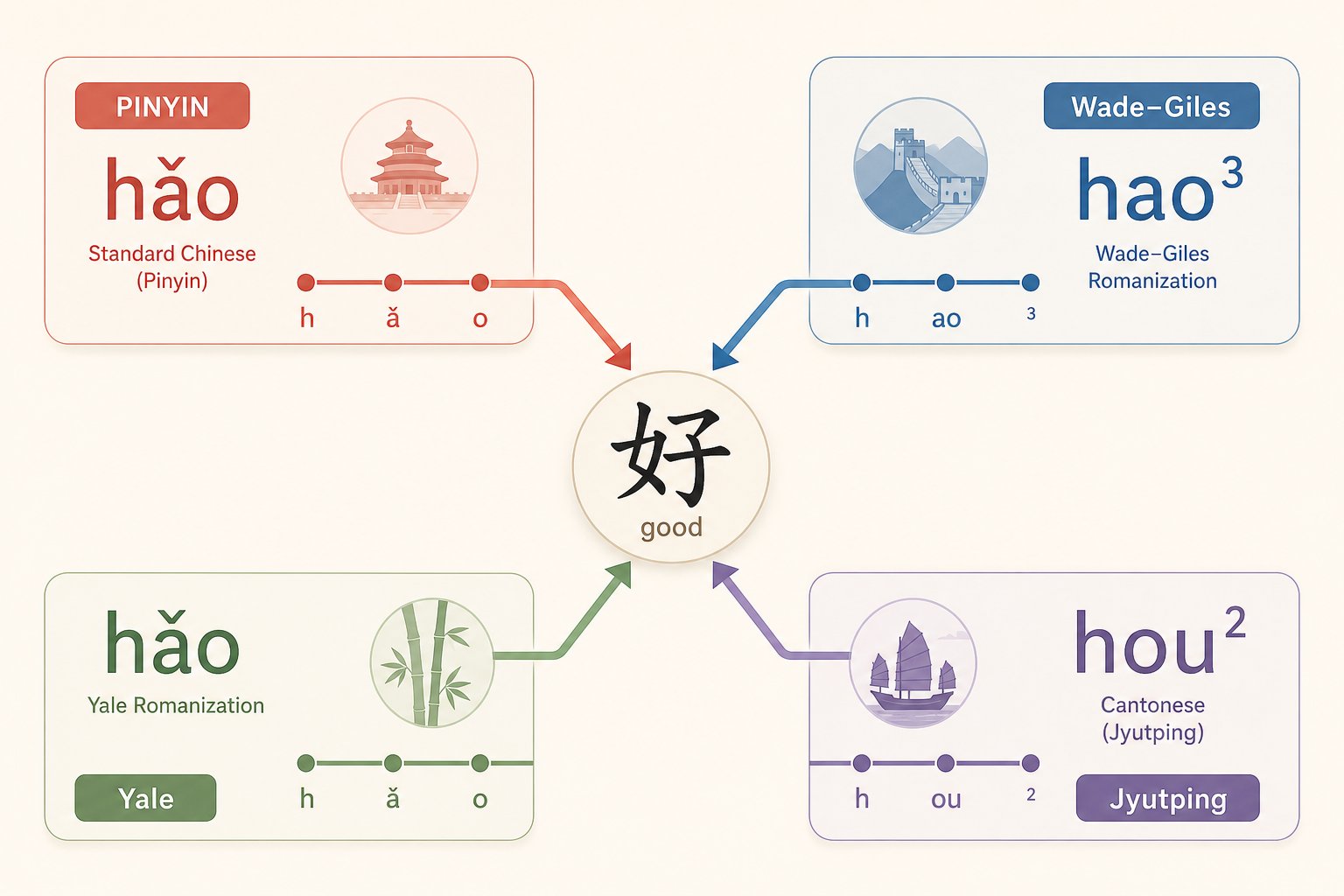
That extra step matters more than you might expect. Not all romanized Chinese text uses the same spelling conventions. A word spelled "chung" in one system becomes "zhong" in another, and a tool expecting Hanyu Pinyin will return nothing useful if you feed it Wade-Giles input. Before any character lookup can succeed, you need to identify which romanization system your source text uses and, if necessary, convert it to the standard your tool expects.
Multiple systems exist to romanize chinese because standardization happened gradually over more than a century. Each system emerged from a different era, institution, and regional context, and each encodes Mandarin sounds using different letter combinations.
Hanyu Pinyin vs Wade-Giles vs Yale Systems
Four major systems appear in texts you are likely to encounter:
- Hanyu Pinyin (han yu pin yin): The modern international standard, adopted by the PRC in 1958 and by the ISO in 1982. Nearly all contemporary tools, dictionaries, and input methods use this system.
- Wade-Giles: Developed in the 19th century by Thomas Wade and Herbert Giles. Common in older academic publications, library catalogs, and historical texts. Uses apostrophes to distinguish aspirated consonants (e.g., p' vs p, t' vs t).
- Yale: Created in the 1940s for American military personnel learning Chinese. Appears in some older textbooks. Uses combinations like "sz" and "dz" that look unfamiliar to Pinyin-trained readers.
- Zhuyin (Bopomofo): Not a romanization system at all, but a set of phonetic symbols derived from Chinese characters, consisting of 37 basic symbols and four tone marks. Primarily used in Taiwan for education and typing.
The differences between these systems are not trivial spelling variations. They represent fundamentally different mappings of Latin letters to Mandarin sounds. The table below shows how the same characters receive completely different spellings depending on which system of chinese transliteration was used:
| Chinese Character | Hanyu Pinyin | Wade-Giles | Yale | Zhuyin |
|---|---|---|---|---|
| 中 (middle) | zhong | chung | jung | ㄓㄨㄥ |
| 气 (air) | qi | ch'i | chi | ㄑㄧ |
| 西 (west) | xi | hsi | syi | ㄒㄧ |
| 人 (person) | ren | jen | ren | ㄖㄣ |
| 知 (know) | zhi | chih | jr | ㄓ |
| 词 (word) | ci | tz'u | tsz | ㄘ |
Notice how Wade-Giles uses "ch" for sounds that Hanyu Pinyin splits across "zh," "ch," and "j." The aspirated/unaspirated distinction that Pinyin marks with entirely different letters (zh vs ch, j vs q) is handled in Wade-Giles with an apostrophe after the consonant. If you encounter "ch'i" in an older text, that apostrophe tells you it is Pinyin "qi," not "zhi." Miss the apostrophe, and your reverse lookup returns the wrong characters entirely.
Converting Between Romanization Standards
Most modern conversion tools only accept han yu pin yin as input. If your source material uses Wade-Giles or Yale, you need to convert it first. This is a straightforward mapping problem since each system has a fixed correspondence to every other system, as documented in comprehensive cross-reference charts.
A hanyu pinyin converter handles this translation step. You input the Wade-Giles or Yale spelling, and the tool outputs the equivalent Pinyin, which you can then feed into a character lookup. For example, converting chinese to han yu pin yin from a Wade-Giles source means transforming "chung-kuo" into "zhongguo" before searching for characters.
The reverse direction works too. If you already have characters and need to produce romanized output in a specific system, a chinese character to han yu pin yin tool generates the standard Pinyin, which can then be mapped to Wade-Giles or Yale if needed.
Practical tips for handling non-Pinyin romanized text:
- Look for apostrophes. Their presence strongly suggests Wade-Giles.
- Check for "hs" combinations (like "hsi" or "hsiao"). These are Wade-Giles spellings for Pinyin "x" sounds.
- If you see "j" where you would expect "r" (like "jen" for "ren"), the text is likely Wade-Giles.
- Yale romanization often uses "sz," "dz," and "bw" combinations that appear in neither Pinyin nor Wade-Giles.
Zhuyin presents a different challenge because it is not romanized at all. Converting zhuyin symbols to Pinyin requires a symbol-by-symbol mapping rather than a letter substitution. Most learners in Taiwan develop fluency in both systems, but if you encounter Bopomofo text and need to perform a character lookup, dedicated conversion tools can translate the symbols into Pinyin before you proceed.
The key takeaway: identify your romanization system before attempting any reverse lookup. Feeding Wade-Giles into a Pinyin-only tool does not just produce wrong results. It produces confidently wrong results, because many Wade-Giles spellings happen to be valid Pinyin for completely different characters. "Chang" in Wade-Giles maps to Pinyin "zhang," but a Pinyin tool will happily interpret it as the Pinyin syllable "chang" and return an entirely different set of characters. Knowing which system you are working with is the prerequisite that makes everything downstream reliable.
Methods and Tools for Reverse Pinyin Conversion
Knowing which romanization system your text uses is the first step. The second is choosing the right tool for the job. Not every pinyin-to-character task calls for the same approach. Someone typing a full essay in Chinese needs a different solution than a student looking up a single unfamiliar syllable, and both differ from a researcher batch-processing a romanized bibliography. The tool you pick shapes the speed, accuracy, and level of control you get over the output.
Four primary methods exist for converting pinyin to characters, each built for different workflows and skill levels:
- Dictionary-based lookup tools: Online or offline dictionaries where you type a pinyin syllable and browse all matching characters. Strengths: shows every possible match with definitions, stroke order, and usage examples. Ideal for studying individual characters in depth. Limitations: requires manual selection from long candidate lists, no contextual prediction, and slow for converting full sentences.
- Input Method Editors (IMEs): System-level software on desktop and mobile that converts pinyin keystrokes into characters in real time. Strengths: deeply integrated into the operating system, uses statistical language models for contextual prediction, handles continuous typing at natural speed. Limitations: designed for fluent typists who can recognize correct characters from a candidate list, less useful for learners who cannot yet identify the right character visually.
- Dedicated online pinyin converter tools: Web-based applications purpose-built for pinyin-to-character conversion. Strengths: no installation required, often support batch input, many offer tone-number and tone-mark input, some provide word-level matching. Limitations: accuracy varies widely between tools, some lack contextual disambiguation, and most require an internet connection.
- Contextual prediction engines: Advanced systems (often embedded within IMEs or standalone APIs) that use neural networks or n-gram models to predict entire character sequences from pinyin strings. Strengths: highest accuracy for full sentences, handle ambiguous segmentation automatically, learn from user behavior over time. Limitations: require substantial input length to perform well, may struggle with rare words or domain-specific vocabulary.
Dictionary Tools vs Input Method Editors
When should you reach for a dictionary versus an IME? The distinction comes down to your goal. If you are studying, a dictionary tool gives you the full picture. You type "li3" and see every character pronounced that way, complete with definitions, example sentences, and frequency data. You learn not just which character you need but why it differs from its homophones. This is the right approach for language learners building character recognition skills.
An IME, on the other hand, is built for production. You are writing an email, drafting a document, or chatting, and you need characters to appear as fast as you can think them. A chinese input method on your phone or computer lets you type pinyin continuously while a candidate bar displays predicted characters. You tap or press a number key to confirm, and the system remembers your choices to improve future predictions.
As Microsoft's globalization documentation explains, IMEs work as part of the operating system regardless of the application. Windows ships with both a Simplified Chinese IME and a Traditional Chinese IME, each using pinyin-based input to produce characters through keystroke combinations. Your app does not need to interact directly with the IME; it functions at the system level like a software keyboard.
A mandarin pinyin converter that lives online occupies the middle ground. You paste a pinyin string, hit convert, and get character output without needing to install anything or configure system settings. Tools like these are useful for quick one-off lookups, verifying a romanized name, or processing a short passage. Some function as a pinyin generator in reverse, taking romanized input and producing character output that you can copy into another application.
For developers and power users, API-based services offer programmatic access to the same conversion logic. You send a pinyin string to an endpoint and receive structured character data back, useful for building custom workflows or integrating conversion into larger text-processing pipelines. A pinyinizer tool might handle the character-to-pinyin direction, but many of these services work bidirectionally.
Choosing Between Simplified and Traditional Output
One decision that cuts across all these methods: do you need simplified chinese or traditional chinese characters in your output? This is not a minor formatting preference. The two character sets differ in thousands of individual glyphs, and using the wrong set produces text that looks incorrect to your intended audience.
Simplified Chinese is the standard writing system in mainland China, Singapore, and Malaysia. Traditional Chinese remains the standard in Taiwan, Hong Kong, and Macau, and is also used in many overseas Chinese communities. When you perform a reverse pinyin lookup, the same pinyin syllable maps to different visual forms depending on which set you select. For example, "guo2" produces 国 in simplified and 國 in traditional. The pronunciation is identical. The meaning is identical. But the written form differs.
Most pinyin converter tools let you specify traditional chinese or simplified output before conversion. IMEs handle this at the system level: you install either the Simplified Chinese IME or the Traditional Chinese IME, and all output conforms to that character set. Some tools offer a toggle to switch between sets after conversion, which is convenient when you need to produce the same text in both forms.
How do you decide which set to use? Consider your audience and context:
- Writing for readers in mainland China or Singapore: use simplified chinese.
- Writing for readers in Taiwan, Hong Kong, or Macau: use traditional chinese.
- Academic work citing historical texts: traditional characters are standard, since simplified forms were only introduced in the 1950s and 1960s.
- Uncertain or mixed audience: many tools can output both, letting you provide parallel versions.
A subtle complication arises with characters that merged during simplification. The traditional characters 發 (fa, "emit") and 髮 (fa, "hair") were both simplified to the single form 发. Converting pinyin "fa" to simplified gives you one character. Converting to traditional requires the tool to determine which of the two original forms you intend, reintroducing ambiguity that the simplified set had collapsed. Good conversion tools handle this by using word-level context: "toufa" (头发/頭髮, "hair") maps unambiguously to 髮 in traditional, while "faxian" (发现/發現, "discover") maps to 發.
The practical advice: always set your target character set before you begin converting. Switching after the fact works for most characters, but those merged simplifications can introduce errors if the tool lacks sufficient context to disambiguate. Specify your output preference upfront, and the conversion pipeline handles the rest cleanly.
All of these tools and methods handle standard pinyin syllables well. But Chinese phonology has quirks that fall outside the neat syllable tables, edge cases where even experienced users stumble and where tools need special handling to produce correct results.

Edge Cases and Common Pitfalls in Pinyin Lookup
Those quirks are not rare curiosities. They show up in everyday vocabulary and trip up learners, researchers, and even native speakers using a chinese pinyin keyboard to type. Three categories of edge cases cause the most confusion: erhua suffixation, the ü/u distinction, and syllables whose spellings look similar but represent entirely different sounds.
Handling Erhua and Special Vowels
Erhua (儿化) is the process where a syllable gains an r-colored ending, turning a word like 哪 (na) into 哪儿 (nar, "where"). When you encounter erhua in pinyin, the "r" is not a separate syllable. It modifies the preceding one. This matters for reverse lookup because a pinyin typer searching for "nar" needs to understand that the result is 哪儿, not a standalone character pronounced "nar."
Erhua can also change a word's meaning or grammatical class. The character 画 (hua, "to draw") becomes 画儿 (huar, "a drawing") with the suffix. A character to pinyin tool working in the opposite direction must decide whether to output "hua" or "huar" depending on context. If you are converting hanzi to pinyin and the source text uses erhua forms, the output pinyin needs that trailing "r" to be accurate.
The ü vowel presents a different problem. In chinese pronunciation, ü (a front rounded vowel) and u (a back rounded vowel) are completely distinct sounds that produce different characters. Confuse them, and your lookup returns the wrong results entirely.
The critical rule: after the consonants n and l, the two dots on ü must be preserved because both "nu" and "nü" exist as separate syllables mapping to different characters. After j, q, x, the dots disappear in standard spelling because these consonants can only combine with ü, never with plain u. So "ju" is actually "jü" in disguise, and lookup tools know this implicitly.
How do you type ü on a standard keyboard? The universal method is using the V key as a substitute. Type "nv" to get 女 (nü) and "lv" to get 绿 (lü). This works across virtually all input methods including Sogou, Google Pinyin, Microsoft Pinyin, and Baidu on both desktop and mobile devices.
Commonly Confused Pinyin Syllables
Beyond erhua and ü, several pinyin spellings look deceptively similar but represent different sounds. As Hacking Chinese documents, pinyin uses abbreviations and vowel overlaps that mask the actual pronunciation. When performing a characters to pinyin conversion or its reverse, these hidden differences determine which characters appear in your results.
The table below maps the most common edge cases to their correct pinyin representation and character matches:
| Edge Case | Pinyin Input | Character Result | Common Confusion |
|---|---|---|---|
| ü after n | nü3 (type: nv3) | 女 (woman) | Confused with nu3 → 努 (effort) |
| ü after l | lü4 (type: lv4) | 绿 (green) | Confused with lu4 → 路 (road) |
| ü after j/q/x (hidden) | ju1 | 居 (reside) | Written as "ju" but pronounced "jü" |
| Erhua suffix | huar4 | 画儿 (a drawing) | Not a separate syllable; modifies 画 |
| Erhua with meaning change | tour2 | 头儿 (boss) | Different meaning from 头 (head) |
| -iu abbreviation | liu2 | 流 (flow) | Actually pronounced "-iou"; rhymes with 有 |
| -ui abbreviation | dui4 | 对 (correct) | Actually pronounced "-uei"; rhymes with 北 |
| -un abbreviation | lun4 | 论 (discuss) | Actually pronounced "-uen" |
| "i" after zh/ch/sh/r | shi4 | 是 (is) | The "i" is a retroflex vowel, not the "i" in "xi" |
| "i" after z/c/s | si1 | 丝 (silk) | The "i" is a buzzing vowel, not the "i" in "ni" |
Notice the pattern: many of these pitfalls involve sounds that pinyin spells identically but pronounces differently depending on context. The letter "i" represents four distinct sounds. The letter "u" represents two. A mandarin with pinyin study approach that treats each letter as having one fixed sound will produce incorrect lookups and flawed pronunciation alike.
Practical tips for navigating these edge cases:
- Always use V for ü when typing on any chinese pinyin keyboard. Do not substitute with "u" after n or l.
- When you see erhua in source text, treat the base character plus 儿 as a single unit for lookup purposes.
- Remember that "-iu," "-ui," and "-un" are abbreviated spellings. The actual vowel sounds are longer than the spelling suggests, which affects how a hanzi to pinyin tool outputs these syllables.
- If a lookup returns unexpected results for syllables starting with zh, ch, sh, z, c, or s, verify that the tool is not confusing the special "i" vowel with the standard front vowel.
- For rare syllables like "cuan," "rua," or "nun" that have very few character matches, expect short candidate lists. These are the easy cases where ambiguity is minimal.
Edge cases reward attention to detail. The difference between typing "nv" and "nu" is a single keystroke, but it is the difference between finding 女 and finding 努, between the right character and a confident mistake. Mastering these distinctions turns a frustrating lookup process into a reliable one, closing the gap between what pinyin shows you on the surface and what Chinese pronunciation actually demands underneath.
Frequently Asked Questions About Reverse Pinyin to Chinese Character Conversion
1. Why does one pinyin syllable map to so many different Chinese characters?
Mandarin has only about 400 unique syllables without tones and roughly 1,300-1,522 with tones, yet over 10,000 characters are in regular use. This means an average of 7.5 or more characters share each tonal syllable. The problem traces back to historical sound changes where Old Chinese had a richer phonological system with consonant clusters and final stops that gradually simplified over centuries, causing formerly distinct words to merge into identical pronunciations.
2. How can I improve the accuracy of pinyin to character conversion?
Three strategies significantly boost accuracy. First, always include tone information, either as diacritics or tone numbers, which cuts your candidate pool by roughly 75%. Second, input complete words or phrases rather than individual syllables, since compound words like 'zhongguo' resolve to a single match while isolated syllables produce dozens. Third, provide full sentences when possible, as statistical language models use surrounding context to predict the correct character with high confidence.
3. What is the difference between using tone marks and tone numbers in pinyin input?
Tone marks (like a, a, a, a) and tone numbers (a1, a2, a3, a4) carry identical phonetic information for lookup purposes. The difference is purely practical: tone numbers work on any standard keyboard using plain digits, while tone marks require specialized input methods or character pickers. Most conversion tools accept both formats interchangeably and return the same candidate characters regardless of which format you use.
4. How do I type the u with two dots (u) for pinyin input on a standard keyboard?
The universal method across virtually all Chinese input methods is to use the V key as a substitute for u. Type 'nv' to produce nu (女, woman) and 'lv' to produce lu (绿, green). This works on Sogou, Google Pinyin, Microsoft Pinyin, and Baidu IMEs on both desktop and mobile. The distinction matters because nu and nu map to completely different characters, so substituting plain 'u' after n or l will return incorrect results.
5. Can I convert Wade-Giles or other romanization systems directly to Chinese characters?
Most modern conversion tools only accept Hanyu Pinyin input. If your source text uses Wade-Giles, Yale, or another system, you need to convert it to Pinyin first using a cross-reference chart or dedicated converter tool. This is important because many Wade-Giles spellings happen to be valid Pinyin for entirely different characters. For example, Wade-Giles 'chang' corresponds to Pinyin 'zhang,' but a Pinyin tool will interpret it as the syllable 'chang' and return wrong characters.