Why Tone Numbers and Marks Both Exist for Pinyin Names
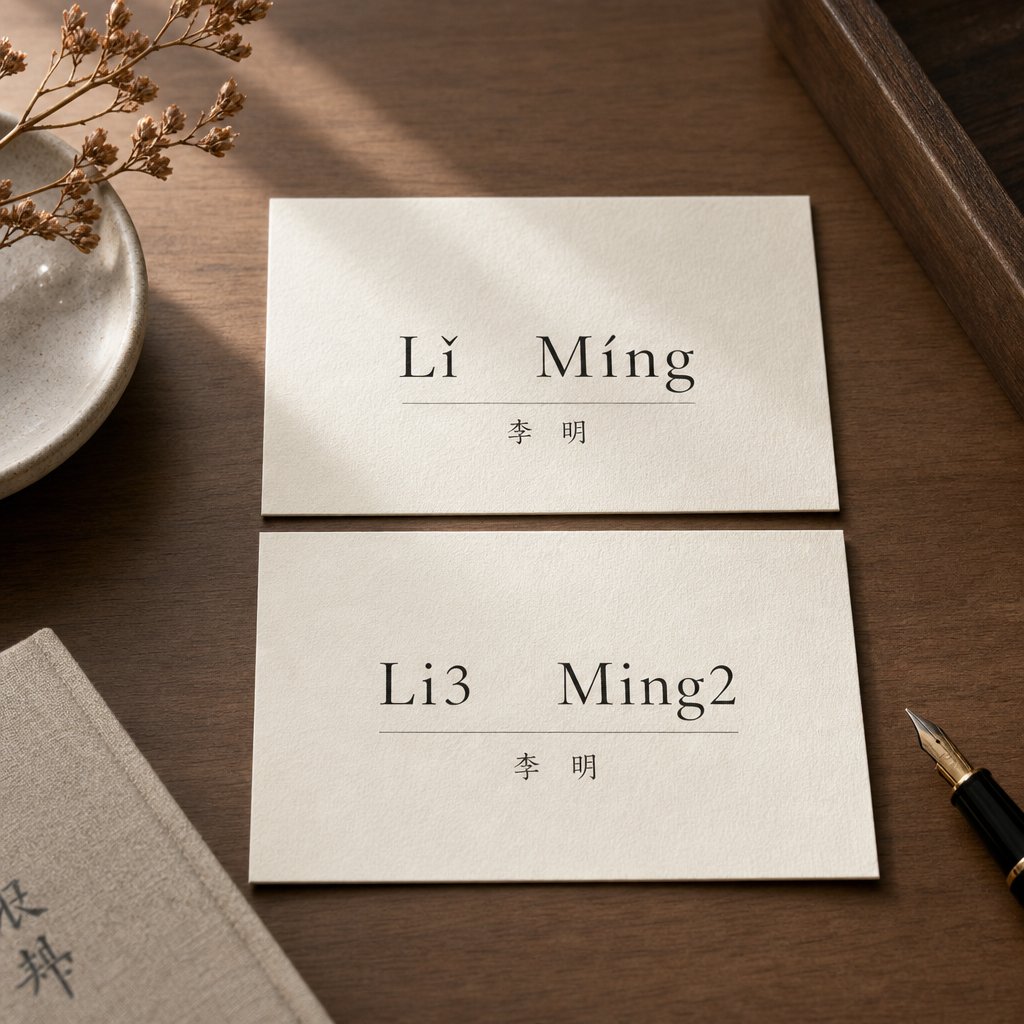
Imagine you need to write a Chinese colleague's name in an email, on a conference badge, or in a university application. You know the name is pronounced with specific tones, but how do you actually write it? Should it be "L\u01d0 M\u00edng" with diacritical marks hovering above the vowels, or "Li3 Ming2" with numbers trailing each syllable? Both versions represent the same spoken name, yet they look completely different on the page. This is the core dilemma anyone faces when creating a phonetic spelling of your name in Chinese romanization.
Why Pinyin Name Notation Causes Confusion
The confusion runs deeper than simple formatting preference. Mandarin Chinese uses four distinct tones to differentiate meaning. The syllable "ma" alone can mean mother, hemp, horse, or scold depending on its pitch contour. When those tones appear in personal names, the stakes feel higher. Get the notation wrong on a business card or academic paper, and you risk looking careless or confusing your reader entirely.
What is pinyin, exactly? It is the official romanization system for Standard Mandarin, formally called Hanyu Pinyin. Developed in the 1950s under linguist Zhou Youguang, it was designed to make Chinese accessible through the Latin alphabet. The system itself specifies tone marks as the standard way to indicate tones. But the digital world had other plans.
Two Systems, One Purpose
Tone marks and chinese tone numbers both exist to solve the same problem: showing which of the four tones applies to a given syllable. They diverge in method and context.
Tone marks follow the official Hanyu Pinyin standard and appear as diacritical marks above vowels. Tone numbers emerged as a practical workaround for ASCII-limited digital environments where special characters were impossible to type.
Consider these tone examples side by side. The name "Wang Wei" in full tonal notation looks like this: "W\u00e1ng W\u011bi" with marks, or "Wang2 Wei3" with numbers. The marks are visual, almost musical. You can see the rising line of the second tone in the acute accent over the "a." The numbers are utilitarian. They slot neatly into plain-text emails, database fields, and forum posts where special symbols might not render correctly.
Neither system is wrong. Tone marks are standard in textbooks, academic papers, and official Hanyu Pinyin usage. Tone numbers dominate in digital communication, dictionary searches, and language-learning forums where typing convenience matters.
What This Guide Covers
Most resources explain pinyin name tone numbers vs marks in the abstract, using vocabulary words as examples. Almost none address the specific challenge of personal names, where capitalization rules, multi-syllable strings, and official document requirements all come into play. This guide fills that gap. You will find tool-by-tool evaluations, a side-by-side comparison, and clear recommendations for every context, from passport applications to WeChat messages. Whether you are a student learning to write classmates' names, a professional preparing bilingual materials, or a traveler filling out visa forms, the right notation choice depends entirely on where that name will end up.
How We Evaluated These Pinyin Tone Tools
Choosing the right tool depends on what you actually need it to do with a name. A pinyin chart or pinyin table works fine for looking up individual syllables, but personal names introduce complications that generic resources rarely address. Two-syllable given names need to be written as one word without a space, surnames require capitalization, and the tool needs to handle chinese transliteration in a way that respects these conventions. We built our evaluation around those real-world demands.
Evaluation Criteria for Tone Notation Tools
Each tool was scored against five specific criteria tied to how well it handles name romanization:
- Tone number input support - Can you type "Zhang1" or "Wei3" and get a usable result?
- Tone mark display - Does the tool output proper diacritical marks positioned on the correct vowel?
- Name-specific handling - Does it manage multi-syllable strings, proper capitalization, and spacing rules for Chinese names?
- Cross-platform availability - Can you access it on desktop, mobile, or both?
- Conversion between systems - Can it transform tone numbers into marks or vice versa in a single step?
How We Tested Name-Specific Features
Rather than testing with common vocabulary, we ran each tool through a set of real Chinese names containing tricky phonetic combinations. Think names with consecutive third tones, syllables starting with vowels that require apostrophes, and surnames that share spellings with common words. We also checked how each tool handles mapping characters to their romanized equivalents when a name contains rare or multi-reading characters. Some platforms default to tone marks in their character map display, while others output bare pinyin or tone numbers only. Knowing which system a tool defaults to saves you from reformatting later, especially when preparing names for formal documents or academic citations.
Pleco Dictionary App for Tone Verification
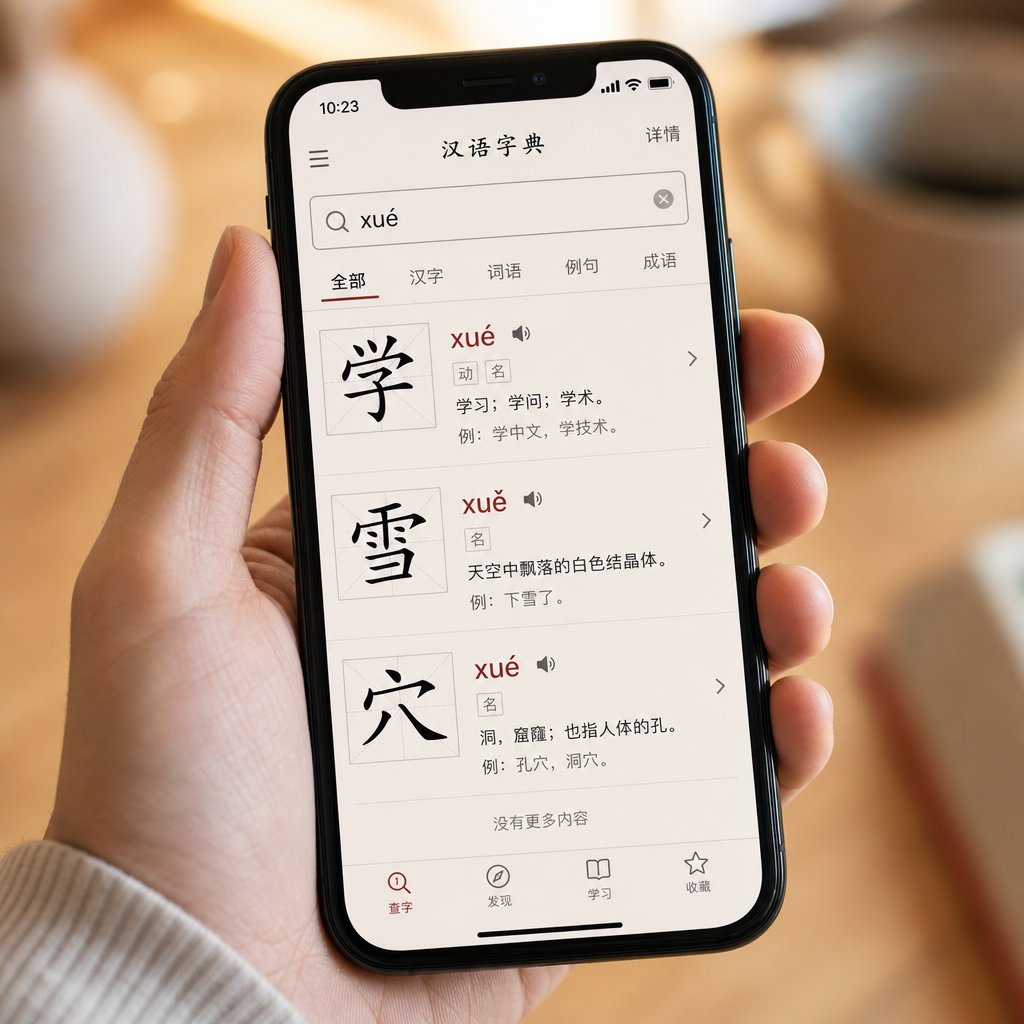
A tool that accepts tone number input is only useful if it also gives you reliable output. Pleco, the most widely used Chinese dictionary app among learners and professionals, does both. It lets you type tone numbers to search and then displays results with proper tone marks, making it a natural bridge between the two notation systems. For anyone who needs to verify the correct chinese pronunciation of an unfamiliar name before writing it down, Pleco is the first place to check.
How Pleco Handles Tone Numbers in Search
When you open Pleco and type a pinyin string into the search bar, the app interprets numbers at the end of each syllable as tone indicators. Type "wang2" and the results narrow to characters pronounced with a rising tone. Type "wang2wei3" and you get entries matching that exact tonal combination. According to Pleco's official documentation, the tone numbering follows the standard convention: 1 for flat, 2 for rising, 3 for falling-rising, 4 for falling, and 5 for neutral tone.
You can also search without any tone numbers at all. Enter "wang" and Pleco returns every character with that syllable regardless of tone, sorted by frequency. This flexibility matters when you encounter an unfamiliar name and are not sure which tone applies. You might hear a colleague introduce themselves and catch the syllables but miss the exact pitch contour. Searching without tones gives you a shortlist, and from there you can tap each result to hear the audio and confirm which one matches.
The search engine also handles ambiguous syllable splits automatically. If you type "xian" it returns results for both "xian" and "xi'an" without requiring you to manually insert an apostrophe. For names like "Xi'an" where the split matters, this saves a step.
Name Lookup and Multi-Character Support
Chinese names typically consist of two or three characters: a one-character surname followed by a one- or two-character given name. Pleco handles these through its multi-character breakdown feature. When you enter a string of characters or pinyin that does not match a single dictionary entry, the app splits it into component parts and shows definitions for each segment.
Imagine you need to verify the tones for the name Zhou Yuanyuan. You could type "zhou1" to confirm the surname's first tone, then search "yuan2" separately for each character in the given name. The app displays results with tone marks in the header, so you immediately see whether it should be "Zhōu" or "Zhóu." This character-by-character approach is especially helpful when you need to pronounce yuan chinese style with the correct tone, or when confirming zhou pronunciation for a business contact you have only seen in writing.
Pleco's definition screen also provides audio playback. Tap the speaker icon next to any entry and you hear a native speaker recording. For single syllables, the free version uses individual syllable recordings. For common multi-character words, extended audio packs offer natural-sounding compound pronunciations. This audio verification step is critical for names because written pinyin alone cannot capture the subtle tone sandhi shifts that occur in natural speech.
Pros and Cons for Name Romanization
Pleco excels at one specific task: confirming which tones belong to which characters in a name. Here is how it stacks up for that purpose:
Pros
- Accepts both tone number input and toneless pinyin, letting you search however you prefer
- Displays results with proper tone marks, converting chinese to pinyin visually in the entry header
- Audio verification for every character, so you can confirm pronunciation by ear
- Character-by-character breakdown for multi-character strings that are not in the dictionary as a single entry
- Mixed pinyin and character search lets you type partial information when you only know one character in a name
Cons
- Mobile-only (iOS and Android), with no dedicated desktop application
- No batch conversion for full names. You cannot paste "Zhang1 Wei3" and get "Zhāng Wěi" as output
- No export function that preserves tone marks. Copying pinyin from the app gives you the text, but formatting may not carry over cleanly to all destinations
- Works as a pronounce dict rather than a formatting tool. It tells you the correct tones but does not generate publication-ready romanized names
Pleco's strength lies in verification, not production. It answers the question "what are the correct tones for this name?" with precision, but it will not format that answer into a properly capitalized, tone-marked string ready for an academic paper. For that final formatting step, you need a different kind of tool, one designed specifically to convert between notation systems in bulk.
Google Pinyin Input Method for Typing Names
Pleco helps you verify tones, but what happens when you need to type the actual mandarin characters themselves? That is where an Input Method Editor (IME) comes in. Google Pinyin Input Method is one of the most popular options for entering Chinese text on phones and computers. It uses pinyin as the bridge between your keyboard and Chinese characters, and here is the critical distinction: tone numbers in this context serve a completely different purpose than they do in written romanization.
How Google Pinyin Uses Tone Numbers for Character Selection
When you use a chinese typing method like Google Pinyin, you type romanized syllables and the software presents a list of candidate characters that match. Type "wang" and you might see ten or more characters with that pronunciation, each carrying a different tone and meaning. The IME uses frequency and context to guess which chinese character you want, but sometimes it guesses wrong.
This is where tone numbers become a disambiguation tool. If you type "wang2" instead of just "wang," the candidate list narrows to only characters pronounced with the second tone, like 王 (king/surname Wang). You are not producing romanized output with tone marks. You are filtering candidates so the correct character appears faster. The number disappears entirely from the final output. What lands in your document is the Chinese character itself, not pinyin in any form.
Think of it this way: tone marks in written pinyin are the destination. Tone numbers in an IME are a shortcut during the journey. The Google Input Tools documentation describes how typing pinyin produces a list of candidate characters that map to your input. Adding a tone number simply refines that mapping.
Platform Availability and Setup Steps
Google Pinyin Input is available across major platforms, though the setup process varies:
- Android - Install Google Pinyin Input from the Play Store, enable it under Language and Input settings, then switch to it using the globe icon on your mandarin keyboard.
- Windows - Google Input Tools offers a downloadable IME, though Microsoft's own Simplified Chinese IME provides similar functionality built into the operating system.
- macOS - The built-in Pinyin input source under System Preferences handles the same task natively. Google's standalone IME for Mac has been discontinued, but Apple's version supports tone-number filtering.
- iOS - Apple's native Chinese keyboard uses pinyin input. Google's Gboard app also supports Chinese input with pinyin on iPhone.
On most platforms, you switch between your regular keyboard and the Chinese input method by tapping a globe icon or using a keyboard shortcut. Once active, everything you type in pinyin converts to mandarin characters through the candidate selection window.
Pros and Cons for Name Entry
For someone who needs to type a colleague's name in Chinese characters rather than romanized pinyin, an IME is essential. Here is how Google Pinyin performs for that specific task:
Pros
- Free on all platforms with no subscription required
- Cross-platform availability means you can type names consistently across devices
- Tone numbers reduce character candidates significantly, helping you find the right chinese character for uncommon surname or given-name combinations
- Context-aware predictions learn name patterns over time, so frequently typed names appear first
Cons
- Outputs Chinese characters, not pinyin with tone marks. If you need romanized text, this tool does not produce it
- No direct tone mark output. You cannot type "wang2" and get "wáng" as the result
- Initial setup requires navigating language settings, which can feel unintuitive for first-time users unfamiliar with IME configuration
- Name characters that are rare or have unusual readings may not appear in the default candidate list without manual tone-number filtering
The key takeaway is this: an IME and a tone notation tool solve fundamentally different problems. Google Pinyin helps you produce the characters themselves. It does not help you decide whether to write "Wáng" or "Wang2" on a name badge. For situations where you already have the characters and need to generate properly formatted pinyin with customizable notation, a different category of tool is required, one built around flashcard-style repetition and display flexibility.
Anki Flashcards with Pinyin Tone Customization
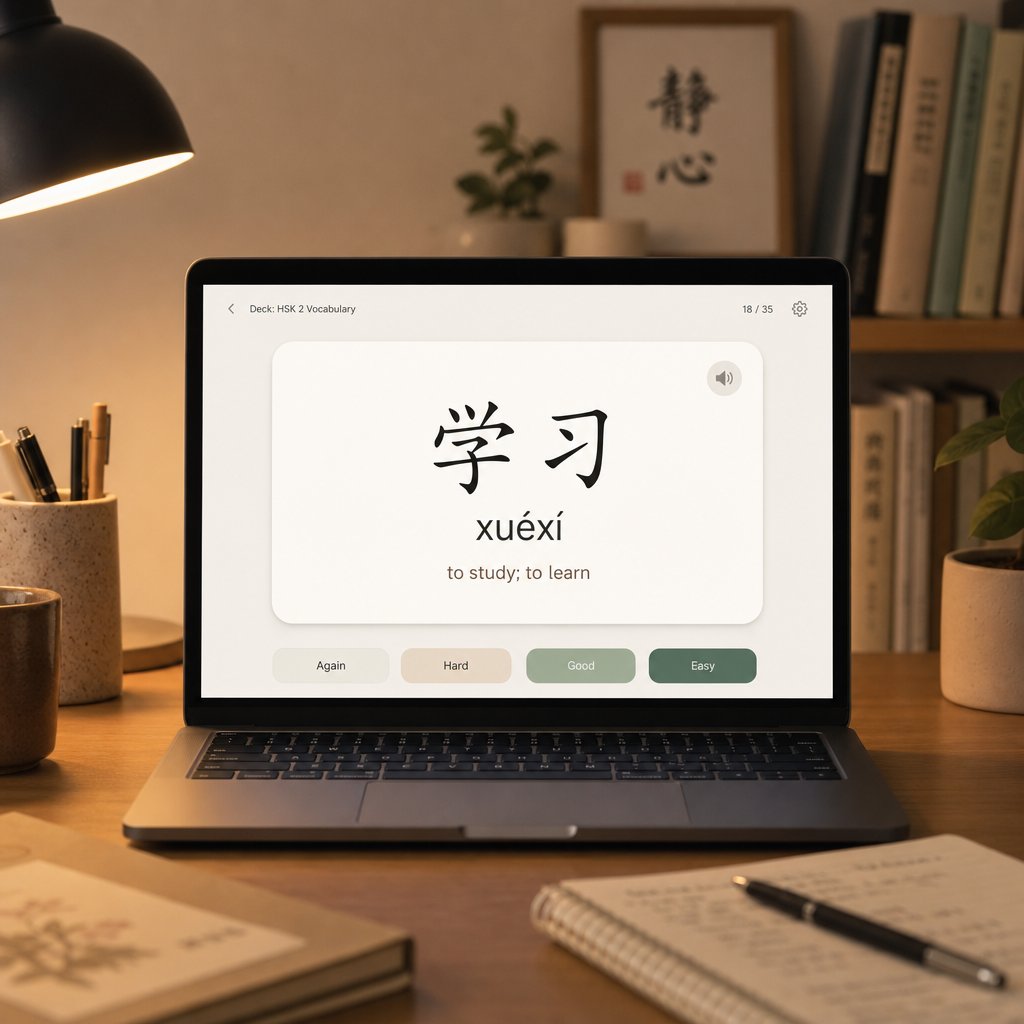
Flashcard-style repetition and display flexibility is exactly what Anki delivers. Unlike the tools covered so far, Anki does not just look up or input tones. It lets you decide how tones in chinese names appear on every single card you study. Want tone marks on the front and tone numbers on the back? Done. Prefer to see only characters and test yourself on the tones of mandarin from memory? Also done. This level of control makes Anki uniquely suited for anyone building long-term recall of name pronunciations.
Configuring Anki Cards for Tone Mark Display
Anki uses customizable card templates written in HTML and CSS. Each field on a card, whether it holds chinese and pinyin data, audio, or definitions, can be styled and positioned independently. You might create a note type called "Chinese Names" with separate fields for Characters, Pinyin with Marks, Pinyin with Numbers, and Audio. On the card template, you choose which fields appear on the front versus the back.
For name tone practice, a common setup shows the characters on the front (e.g., 李明) and reveals the tone-marked pinyin on the back (Lǐ Míng). Alternatively, you could display the numbered version (Li3 Ming2) on one card type and the marked version on another, training yourself to read both systems fluently. The template editor supports conditional fields too, so you can hide tone information entirely for advanced recall drills.
Chinese Support Add-ons and Auto-Pinyin
Manually typing tone-marked pinyin for every name card gets tedious fast. The Chinese Support Redux add-on solves this by auto-generating pinyin with marks directly from character input. Type or paste characters into one field, and the add-on populates a separate pinyin field automatically, complete with correct diacritical placement. It can also attach audio pronunciation pulled from text-to-speech services.
Setup requires some patience. The add-on has gone through maintainer changes, and installation may involve manually placing files into Anki's addons21 directory rather than using the standard one-click install. Once running, though, it transforms Anki into a tool that handles both notation systems simultaneously. You get the characters, the tone-marked pinyin, and optionally a mandarin ipa transcription field if you add one to your note type. For learners who want phonetic precision beyond standard pinyin, that extra field accommodates narrow transcription alongside the romanized forms.
Pros and Cons for Name Tone Practice
Pros
- Fully customizable notation display lets you show tone marks, tone numbers, or both on the same card
- Supports both systems simultaneously through separate fields, so you practice converting between them naturally
- Spaced repetition algorithm ensures you review names right before you would forget them, building durable recall
- Works for personal names, place names, and any custom vocabulary you add
Cons
- Requires meaningful setup effort, especially for add-ons that have lost active maintenance
- Add-on quality varies. Some generate incorrect pinyin for rare characters or multi-reading surnames
- No built-in tone audio specifically for names. Audio depends on text-to-speech quality, which can sound unnatural for proper nouns
- Desktop-first experience. The mobile app supports studying cards but not easily editing templates on the go
Anki rewards the investment. Once your name deck is configured, you have a personal pronunciation reference that strengthens over time through repetition. Still, it is a study tool, not a production tool. When you need to quickly convert a name from one notation to the other for an email or a paper, you will want something faster, something that handles the conversion instantly without any card creation at all.
Duolingo Chinese for Tone Mark Familiarity
Instant conversion without card creation is appealing, but what if you are still building your ear for tones in the first place? Duolingo's Chinese course takes a different approach entirely. Rather than letting you toggle between notation systems, it commits fully to one: chinese tone marks displayed directly above vowels in every lesson, every exercise, and every name that appears on screen.
How Duolingo Displays Tones on Names
When Duolingo introduces a Chinese name, you see it written with chinese accent marks positioned on the correct vowel. The name "Ma Li" appears as "Mǎ Lì" with the falling-rising mark on the "a" and the falling mark on the "i." You never see "Ma3 Li4" anywhere in the interface. The app treats tone mark placement as automatic and invisible. Learners absorb the visual pattern of chinese tonal marks without needing to understand the underlying rules about which vowel carries the mark in multi-vowel syllables.
Audio accompanies every instance. Tap a name and you hear it spoken with correct tone in mandarin, reinforcing the connection between the visual mark and the pitch contour. Duolingo's own learning science team emphasizes that consistent audio exposure helps learners internalize tones over time. The á pronunciation you see and hear for a rising-tone syllable like "má" becomes a visual-auditory pair that sticks through repetition.
Limitations for Learners Who Need Tone Numbers
The problem surfaces the moment you step outside the app. Academic forums, dictionary search bars, and language exchange chats all use tone numbers regularly. A learner who has only ever seen "Wáng" may not immediately recognize "Wang2" as the same syllable. Duolingo provides no exposure to the numbered system and no exercises that practice converting between the two. If someone posts "ni3 hao3" in a study group, a Duolingo-only learner has to pause and decode what those trailing digits mean.
The app also limits its name vocabulary. You encounter a handful of common Chinese names across the course, but the selection is narrow. Learners preparing for real-world interactions, where they will meet dozens of surnames with varied tonal patterns, may find the á pronunciation drills helpful but insufficient for building broad name-tone fluency.
Pros and Cons for Name Pronunciation
Pros
- Consistent tone mark display across all content, building strong visual familiarity with diacritical notation
- Audio for every name and word, letting you hear correct tones alongside the written marks
- Gamified learning keeps daily practice engaging, especially for beginners still developing tone awareness
Cons
- No tone number exposure whatsoever, leaving a gap when learners encounter numbered pinyin elsewhere
- Cannot practice converting between systems, which is a core skill for anyone working with Chinese names across contexts
- Limited name vocabulary means you only hear tones on a small set of common names rather than the full range of Chinese surnames and given names
Duolingo builds a solid foundation for recognizing tone marks visually and aurally. But recognition is only half the workflow. When you have a name written in tone numbers and need it reformatted with marks for a paper or presentation, you need a tool that performs that conversion on demand, without requiring you to retype anything from scratch.

Online Pinyin Converters for Quick Name Formatting
That on-demand conversion exists in the form of browser-based pinyin converter tools. These lightweight web apps act as a phonetic spelling generator for Chinese names, letting you paste tone-numbered pinyin into a text box and receive properly marked output in seconds. No installation, no account creation, no card templates to configure. You type "Zhang1 Wei3" and get "Zhāng Wěi" ready to drop into your academic paper or conference program.
How Online Converters Transform Name Notation
The workflow is straightforward. You enter pinyin with trailing numbers representing tones, and the converter replaces each number with the corresponding diacritical mark on the correct vowel. Most tools also work in reverse, accepting tone-marked input and outputting numbered pinyin for contexts where plain ASCII is required. Some even handle chinese to han yu pin yin conversion, meaning you can paste Chinese characters directly and receive fully marked romanization as output.
For names specifically, these converters handle multi-syllable strings without breaking them apart. Enter "Liu2 Xiao3 Yun2" and the output preserves the spacing and capitalization you provided: "Liú Xiǎo Yún." This matters because a name is not just a collection of isolated syllables. The syllable definition in pinyin treats each consonant-vowel-tone unit as one building block, and converters respect those boundaries when placing marks. You will also find tools that offer pinyin to english lookup alongside the conversion, displaying rough meaning glosses for each syllable so you can verify you have the right characters in mind.
Tone Mark Placement Rules Applied Automatically
One of the biggest advantages of using a converter is that it handles tone mark placement rules for you. In Hanyu Pinyin, the mark always goes over a vowel, but which vowel in a multi-vowel syllable? The rules boil down to three guidelines:
- A and e always take the mark. No standard Mandarin syllable contains both, so there is never a conflict between them.
- In the combination "ou," the mark goes on the o.
- In all other cases, the final vowel takes the mark.
Consider the name syllable "huai" with a fourth tone. Is it "hùai," "huài," or "huaì"? The rule says "a" trumps all other vowels, so the correct form is "huài." A converter applies this logic instantly across every syllable in a name, eliminating the guesswork that trips up even experienced learners. You do not need to memorize the full vowel priority table. The tool functions like an ipa alphabet converter in spirit: you provide the phonetic data, and it handles the orthographic formatting.
Pros and Cons for Quick Name Conversion
Pros
- Instant conversion between tone numbers and marks with no software to install
- Handles multi-syllable names in a single pass, preserving spacing between surname and given name
- Applies tone mark placement rules automatically, so you never put the diacritical on the wrong vowel
- Works for chinese to mandarin pinyin conversion when you paste characters directly into supported tools
- Free to use with no registration required
Cons
- No pronunciation audio, so you cannot verify how the name actually sounds
- May mishandle capitalization on names, sometimes lowercasing surnames or failing to join two-syllable given names into one word
- Requires an internet connection, making offline use impossible
- Quality varies between tools. Some strip spaces incorrectly or fail on edge cases like "nü" versus "nu"
Online converters solve the formatting problem cleanly, but they work in isolation. They do not tell you which notation to choose in the first place, or how different tools compare when you need to pick one workflow for a specific context. That bigger picture, seeing all five tools side by side with clear recommendations mapped to real scenarios, is where the decision finally becomes simple.
Side-by-Side Comparison of Tone Notation Tools
Seeing all five tools laid out together reveals patterns that individual reviews cannot. Each tool occupies a distinct niche in the workflow of writing Chinese names with the correct chinese accent, and no single option covers every scenario. The table below maps their strengths against the dimensions that matter most for name romanization: what notation they default to, whether they convert between systems, and how well they handle the specific quirks of personal names.
Feature Matrix Across All Tools
| Tool Name | Default Notation | Converts Between Systems | Handles Names Well | Platforms | Best For |
|---|---|---|---|---|---|
| Pleco | Tone marks (display) | Input with numbers, output with marks | Character-by-character only | iOS, Android | Dictionary lookup and tone verification |
| Google Pinyin IME | Chinese characters (output) | No. Numbers filter candidates, no romanized output | Learns frequently typed names over time | Windows, macOS, Android, iOS | Typing Chinese characters for digital messaging |
| Anki + Add-ons | Customizable (marks or numbers) | Yes, via separate fields on the same card | Fully customizable for name decks | Windows, macOS, Linux, iOS, Android | Long-term memorization of name tones |
| Duolingo Chinese | Tone marks only | No conversion available | Limited name vocabulary | iOS, Android, Web | Beginner tone mark familiarity |
| Online Pinyin Converters | Accepts both, outputs both | Yes, bidirectional conversion | Preserves spacing; capitalization may vary | Web (any browser) | Quick formatting for academic papers |
A few things stand out immediately. Only two tools, Anki and online converters, genuinely convert between mandarin tone numbers and marks in chinese. Pleco accepts numbers as input but does not export formatted pinyin strings. Google Pinyin IME uses numbers internally but never produces romanized text at all. Duolingo does not acknowledge that tone numbers exist. If your primary need is converting a name from one system to the other, your real options narrow to converters for one-off tasks and Anki for repeated study.
Which Tool Fits Which Context
The right choice depends entirely on where the name will appear and what you need to accomplish. Here is how each tool maps to common real-world scenarios:
- Academic papers and textbooks - Use an online converter. You likely have the name in tone numbers from your notes or a database, and you need properly formatted chinese tone markers with diacriticals for publication. Paste, convert, copy into your document.
- Textbook study and exam prep - Use Anki. Build a deck of names you need to remember, configure cards to show both notation systems, and let spaced repetition handle the rest. You will internalize the tones of chinese language through daily review.
- Digital messaging and forum posts - Use Google Pinyin IME to type the characters directly, or simply write tone numbers in plain text. Both approaches avoid the formatting headaches of inserting special marks in chinese into chat windows.
- Dictionary lookup and pronunciation checks - Use Pleco. When you encounter an unfamiliar name and need to confirm its tones quickly, nothing beats typing the syllables into a dictionary that returns audio and marked pinyin together.
- Building initial tone awareness - Use Duolingo. If you are just starting out and need to develop a visual and auditory sense of how chinese accent marks correspond to pitch patterns, the app's consistent display builds that foundation without overwhelming you.
Tone marks are standard for formal and academic name romanization, while tone numbers remain essential for digital input and searchability. Choosing between them is not about which system is better. It is about which context you are writing for.
Notice that official name romanization, the kind that appears on passports and government documents, is absent from the tool recommendations above. That is intentional. Most governments strip tones entirely from romanized names, meaning neither marks nor numbers appear on your official documents. The question of which notation to use only applies to contexts where tonal information is actually preserved, and the answer shifts depending on whether your audience reads academic journals, language forums, or study materials. Those context-specific recommendations deserve their own detailed breakdown.
Which Notation to Use for Your Pinyin Name
Context decides everything. The same name might appear with tone marks in a linguistics paper, with tone numbers in a forum post, and with no tonal notation at all on a passport. Knowing how to spell chinese names correctly means understanding that "correctly" shifts depending on the document, the audience, and the platform. Here is a ranked breakdown of the most common scenarios, ordered from the situations most people encounter first to the more specialized cases.
- Official documents and passports - Strip all tone notation entirely.
- Academic papers and textbooks - Use tone marks following the Hanyu Pinyin standard.
- Digital communication and language forums - Use tone numbers for maximum compatibility.
- Language study and personal reference - Learn both systems and practice converting between them.
Official Documents and Passports
This surprises many learners: most governments do not want tones on your romanized name at all. The Taiwan Ministry of Education guidelines specify that Hanyu Pinyin is the standard for romanizing personal names, with the surname before the given name and only initial letters capitalized. No tone marks appear in any of their examples. The name 陳志明 becomes simply "Chen Zhiming," not "Chén Zhìmíng" or "Chen2 Zhi4ming2."
Passport offices, visa applications, and university enrollment systems all follow this pattern. Their databases use plain ASCII, and their forms reject diacritical characters. If you are figuring out how to spell chinese names for any government-issued document, the answer is bare pinyin with correct capitalization and no tonal indicators of any kind.
Academic Papers and Textbooks
Academic writing flips the rule entirely. When chinese tones carry meaning in your discussion, tone marks are the expected standard. Style guides for citing Chinese-language sources in English papers confirm this. Hong Kong Baptist University's citation guide notes that pinyin romanization is required for non-Latin scripts in APA, MLA, and Chicago formats, though it clarifies that tone marks are not strictly necessary for bibliographic references. In running text, however, any phonetic spelling that aims to convey pronunciation should use marks.
The logic is simple: tone marks are part of the official chinese writing system for romanization. They follow the ISO 7098 standard and the Hanyu Pinyin orthography rules. If your reader is expected to pronounce the name or understand its tonal structure, marks are the professional choice.
Digital Communication and Language Forums
Plain-text environments still dominate much of online communication. Email subject lines, Slack messages, Reddit posts, and database fields often cannot render diacriticals reliably. In these spaces, tone numbers win on pure practicality. Writing "Li3 Ming2" guarantees that every recipient sees exactly what you typed, regardless of their operating system, email client, or browser encoding.
Forum conventions reinforce this. Language exchange communities, Chinese learning subreddits, and dictionary discussion boards all default to numbered notation because it requires zero special input tools. How many tones does mandarin have? Four main tones plus a neutral tone, represented by the numbers 1 through 5. That numbering system maps cleanly to any keyboard on earth.
Converting Between Systems as a Core Skill
Rather than committing to one system permanently, treat fluency in both as a fundamental skill. You will encounter tone numbers in dictionary apps, forum posts, and input methods. You will need tone marks in papers, presentations, and textbooks. The ability to read "Zhao4 Li4" and instantly visualize "Zhào Lì" makes you faster in every context.
One nuance worth noting: written pinyin notation always shows the dictionary tone, not the spoken tone after sandhi applies. A name like 李美 (Lǐ Měi) contains two consecutive third tones. In natural speech, the first syllable shifts to a rising tone, so it sounds like "Lí Měi." But standard pinyin convention still writes both as third tone. This applies regardless of whether you use marks (Lǐ Měi) or numbers (Li3 Mei3). The written form preserves each character's underlying tone, and the speaker applies sandhi automatically. Understanding this prevents confusion when a name looks one way on paper but sounds slightly different aloud.
The bottom line: match your notation to your audience. Government forms get bare pinyin. Academic readers get tone marks. Digital conversations get tone numbers. And your own study notes? Those should use whichever system you are weakest in, because that is where the practice pays off most.
Frequently Asked Questions About Pinyin Name Tone Numbers vs Marks
1. Do passports use tone marks or tone numbers for Chinese names?
Neither. Most government documents, including passports and visa applications, strip all tonal notation from romanized Chinese names entirely. The name is written in plain pinyin with correct capitalization only. For example, the name 陈志明 becomes simply 'Chen Zhiming' on official documents, with no diacritical marks or trailing numbers. Government databases use plain ASCII and their forms typically reject special characters.
2. What is the difference between pinyin tone numbers and tone marks?
Tone marks are diacritical symbols placed above vowels (e.g., Wáng) following the official Hanyu Pinyin standard. Tone numbers are digits appended after each syllable (e.g., Wang2) that indicate the same tonal information. Both convey identical pronunciation data but serve different contexts. Marks appear in academic writing, textbooks, and formal publications, while numbers are used in digital communication, dictionary searches, and plain-text environments where special characters may not render properly.
3. How do you know which vowel gets the tone mark in a pinyin name?
Tone mark placement follows three priority rules. First, the vowels 'a' and 'e' always receive the mark when present in a syllable. Second, in the combination 'ou,' the mark goes on the 'o.' Third, in all remaining cases, the mark falls on the last vowel in the syllable. Online pinyin converters apply these rules automatically, so you can type tone numbers and receive correctly placed marks without memorizing the full vowel hierarchy yourself.
4. Can I convert tone numbers to tone marks automatically?
Yes. Browser-based pinyin converter tools let you paste numbered pinyin like 'Zhang1 Wei3' and instantly receive tone-marked output like 'Zhāng Wěi.' These tools handle multi-syllable names, apply correct mark placement rules, and work bidirectionally. Anki with the Chinese Support Redux add-on also generates tone-marked pinyin from Chinese characters automatically. Both options eliminate the need to manually insert diacritical characters.
5. Should I learn both tone number and tone mark systems for Chinese names?
Yes, fluency in both systems is a practical skill. You will encounter tone numbers in dictionary apps, language forums, and input methods, while tone marks appear in academic papers, textbooks, and formal presentations. Being able to read 'Zhao4 Li4' and instantly recognize it as 'Zhào Lì' makes you faster across all contexts. Practice converting between systems regularly, and use whichever system you are weakest in for your personal study notes.